
CloudPOS

LabCare: Lab Management Software for Medical and Diagnostic Laboratories

LabCare is a laboratory management system for desktop and mobile that helps a lab manage patients, test bookings, samples, results, billing and reports from one dashboard. It follows the whole journey of a sample, from collection to a verified report.

If your lab still handles registration, billing and reports in separate places, LabCare brings these tasks into a single application that works on desktop and on mobile.

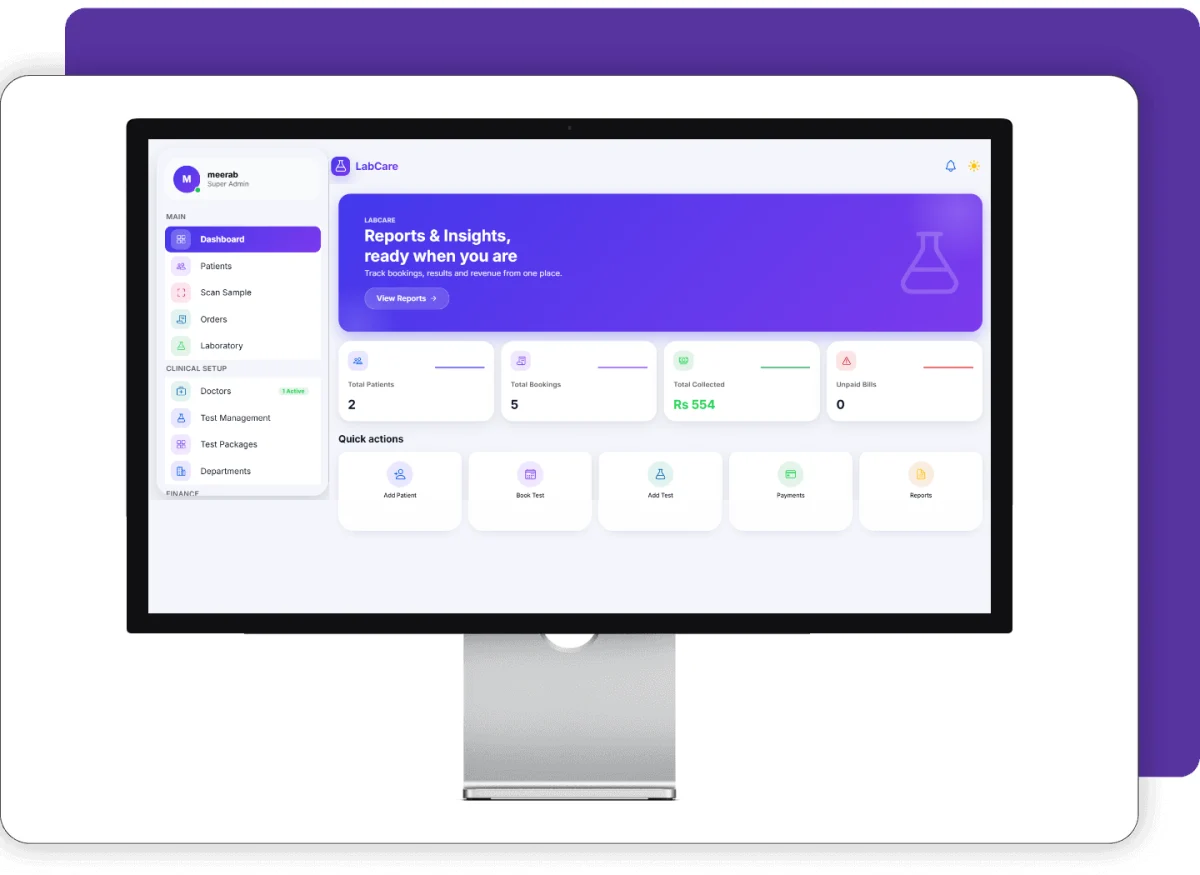
LabCare lab management software dashboard with patients, bookings and collections

Screenshots

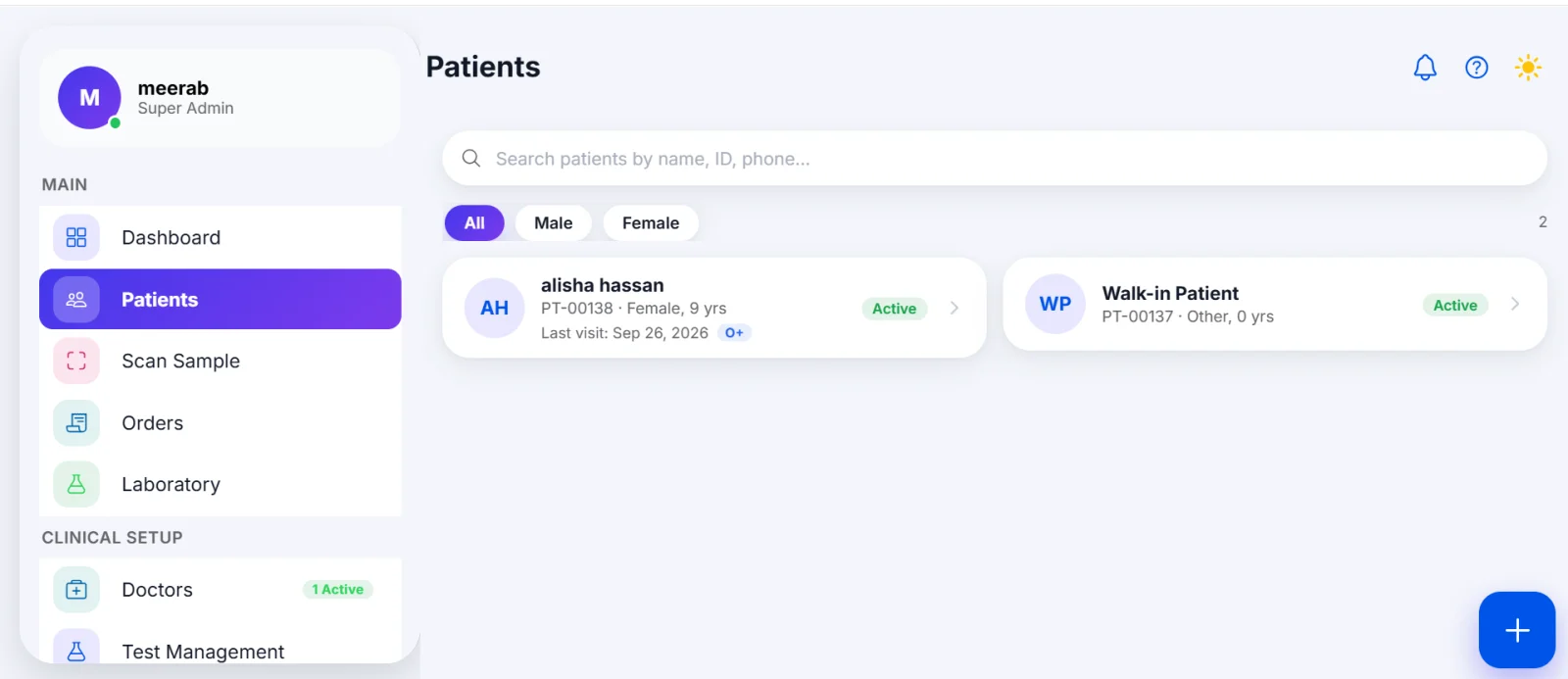
Patient list with search and gender filters in LabCare lab management software
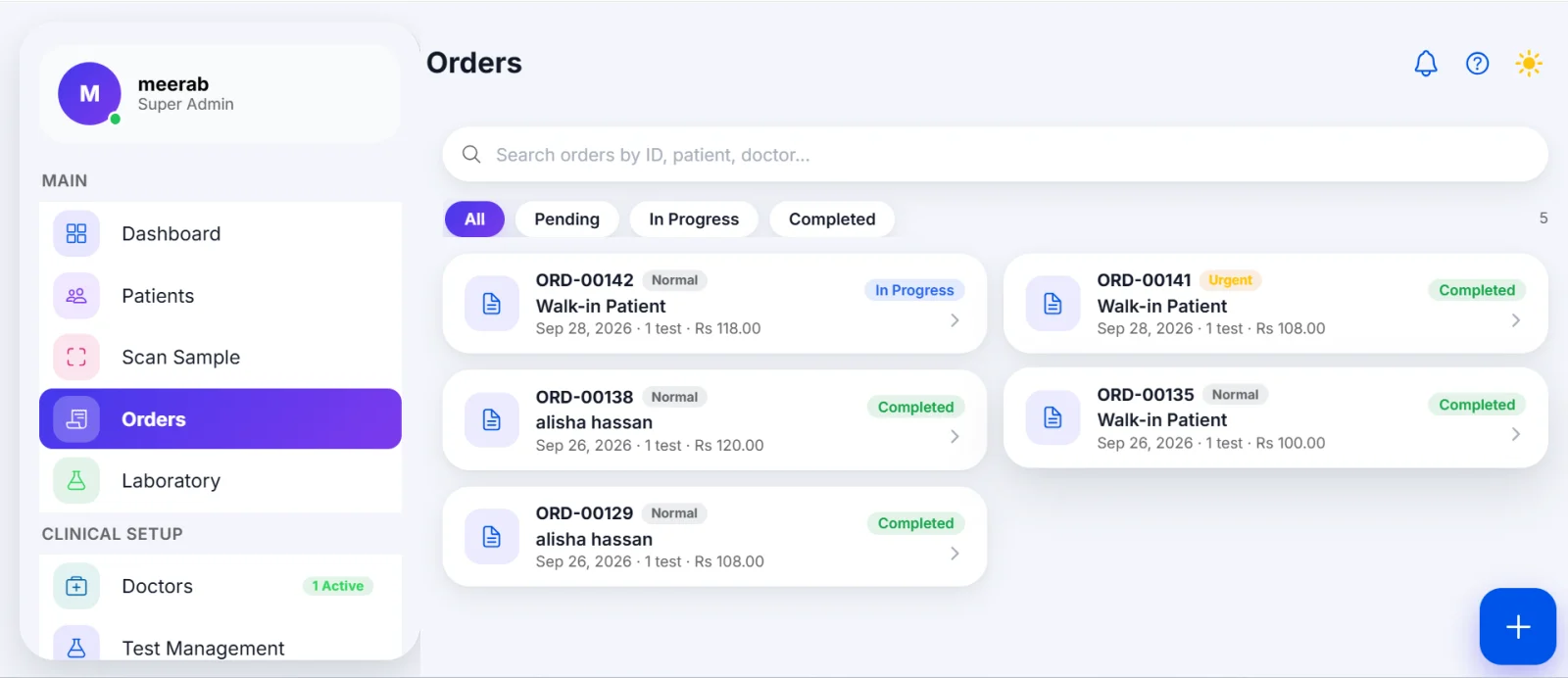
Test orders list with Pending, In Progress and Completed status in LabCare
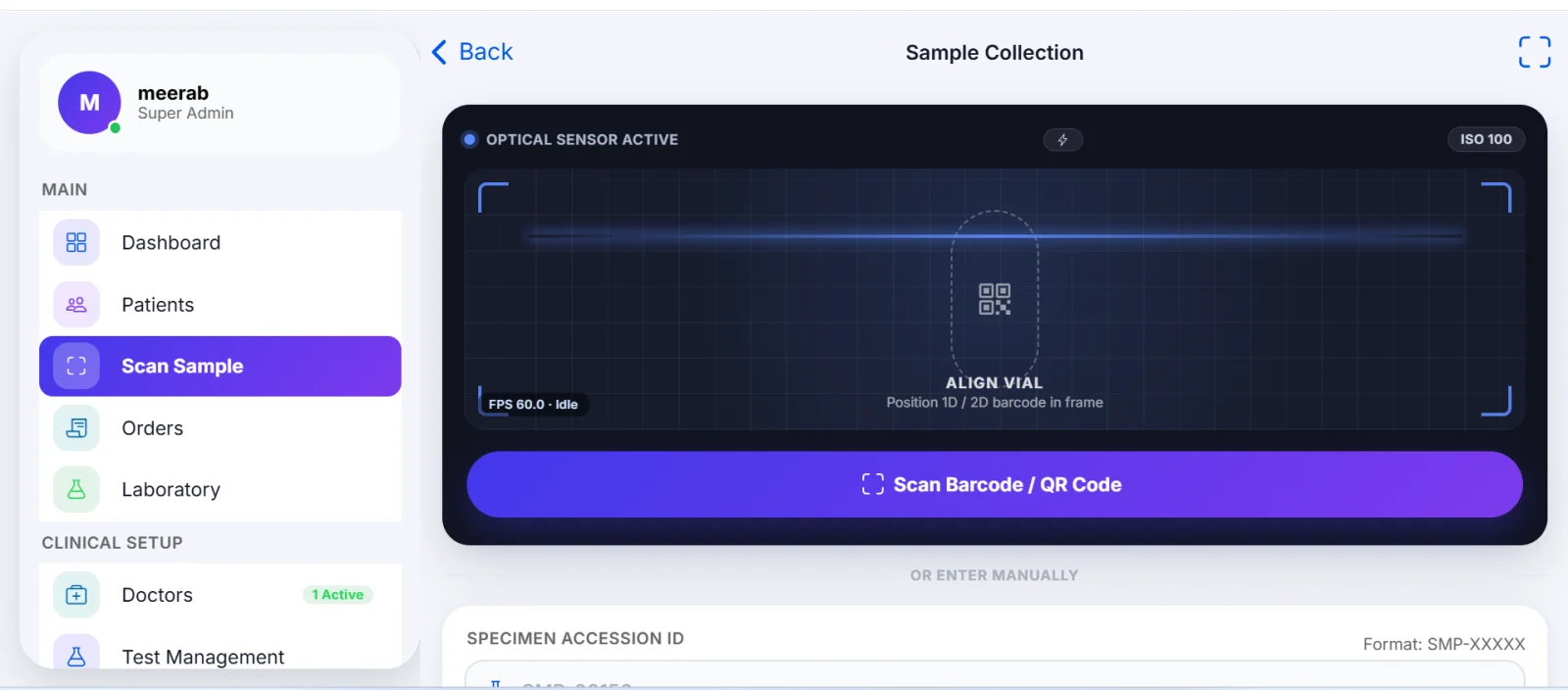
Sample scanning screen with barcode and QR code scanner in LabCare sample tracking software
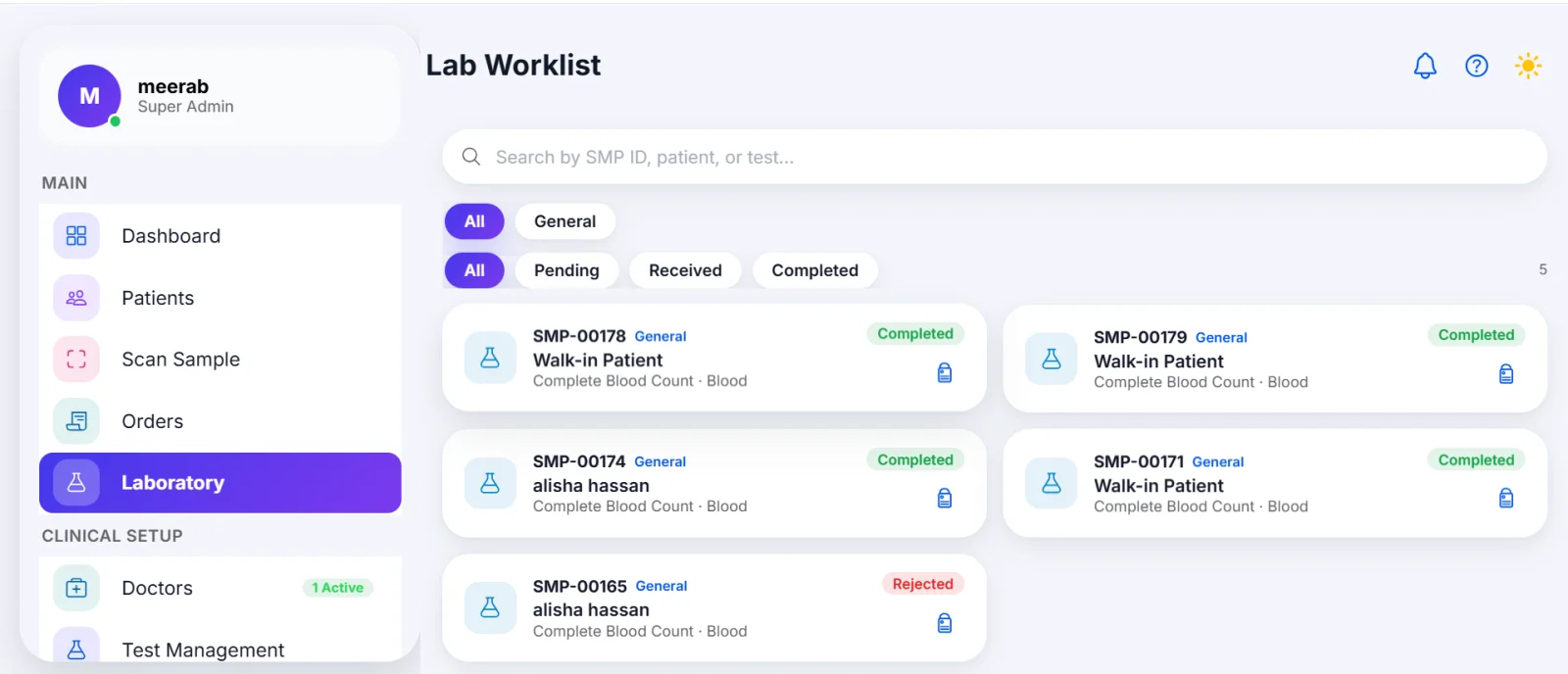
Lab worklist with Pending, Received and Completed samples in LabCare
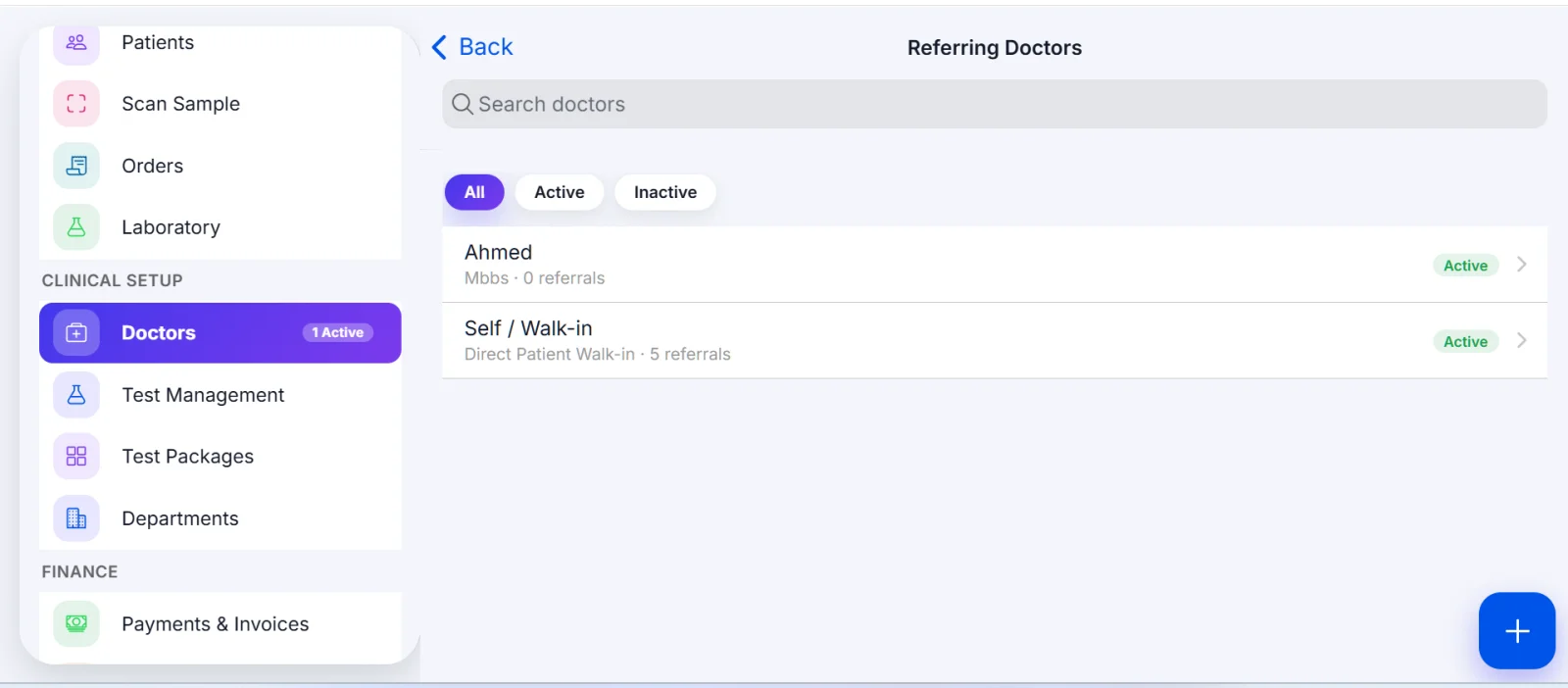
Referring doctors list in LabCare diagnostic lab software
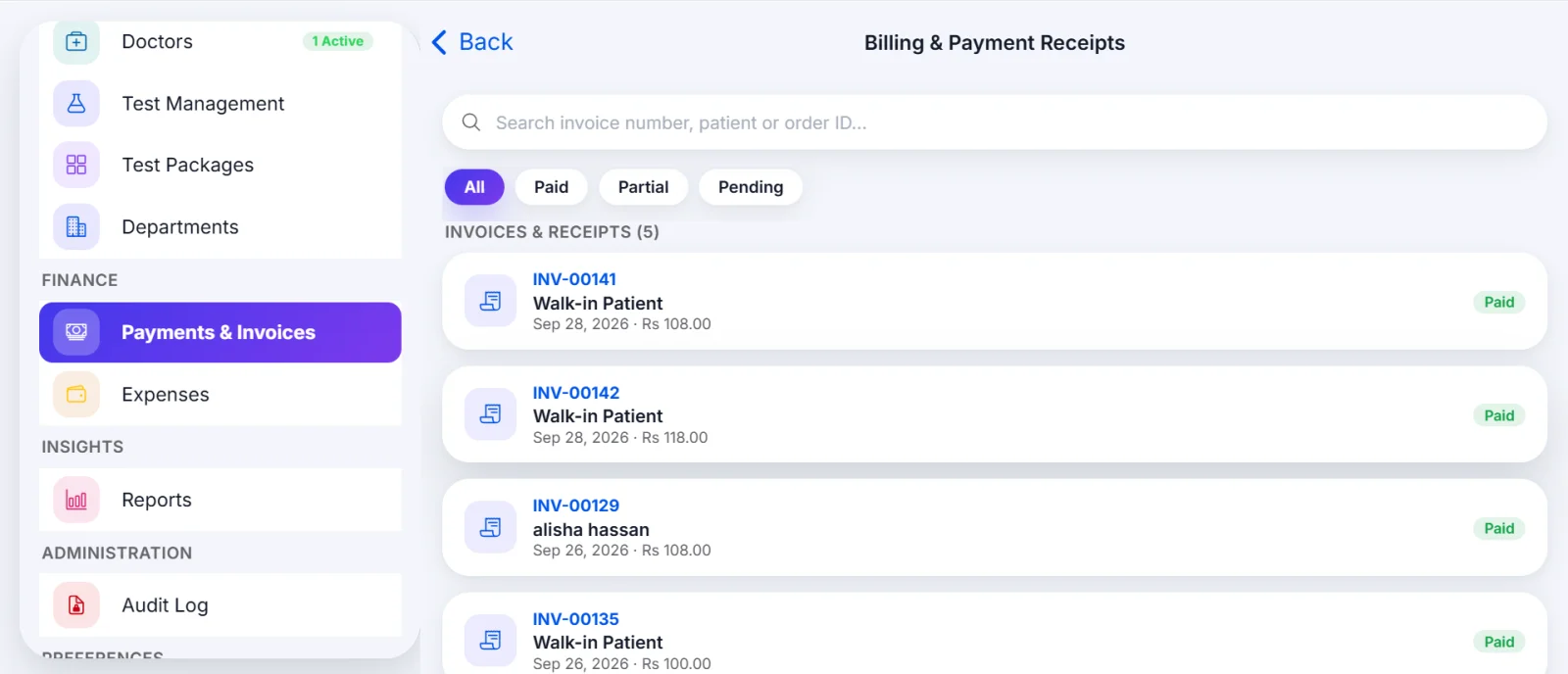
Billing and payment receipts with Paid, Partial and Pending invoices in LabCare lab billing software
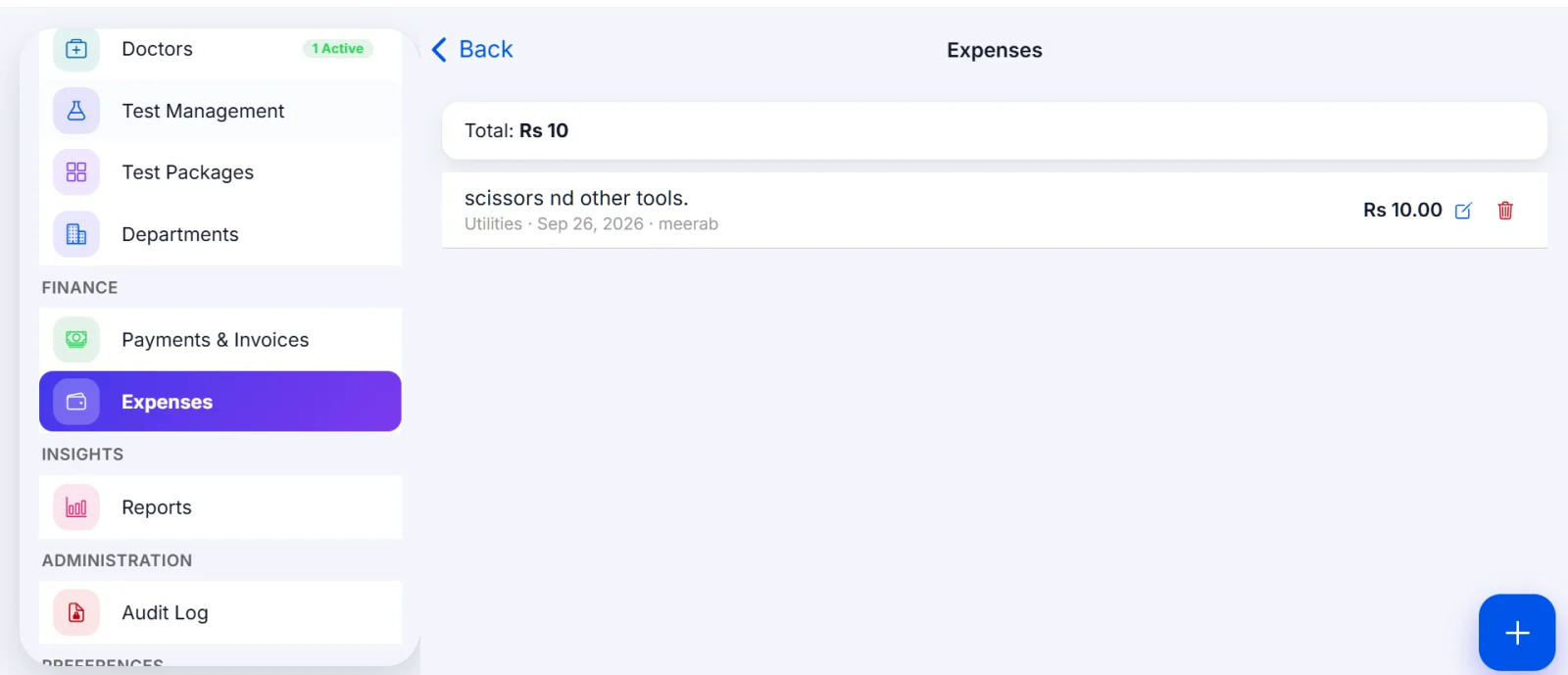
Lab expenses screen in LabCare
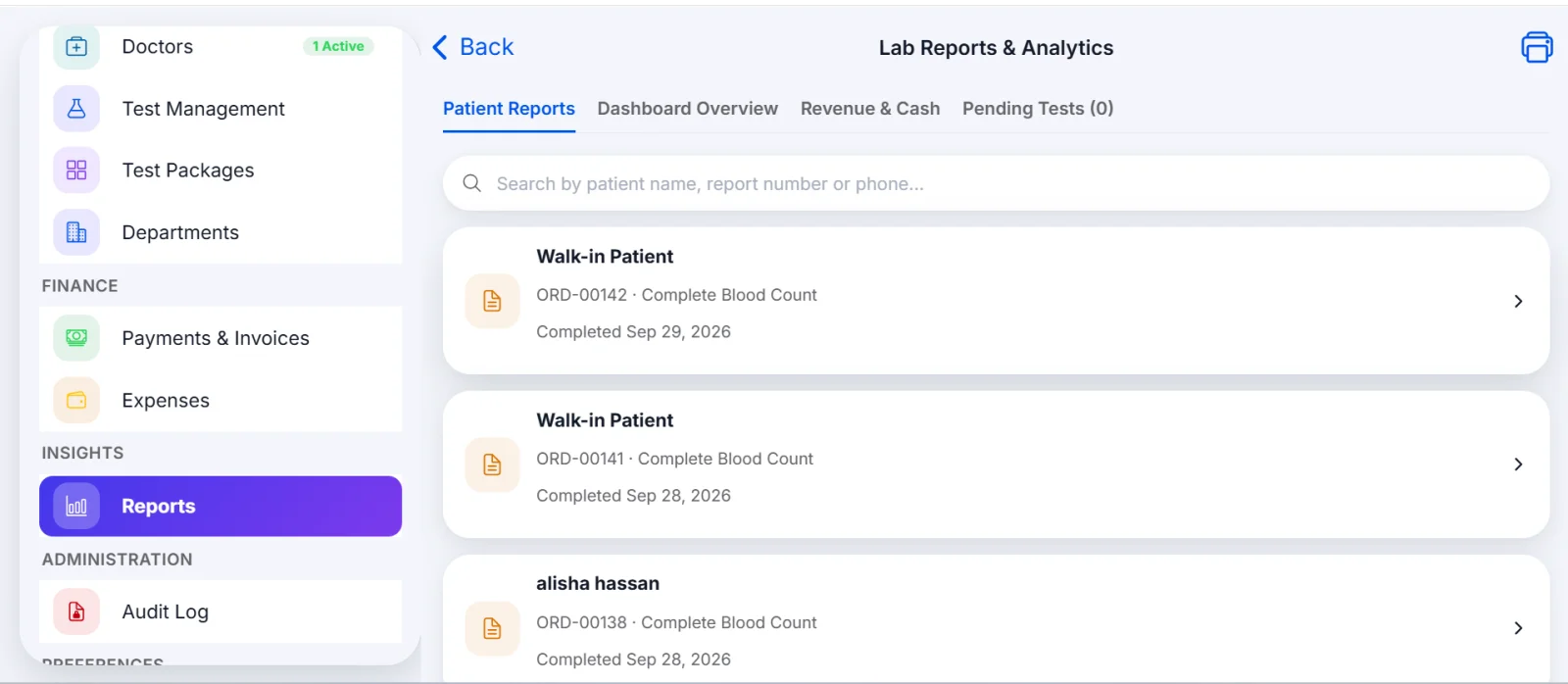
Lab reports and analytics with patient reports in LabCare
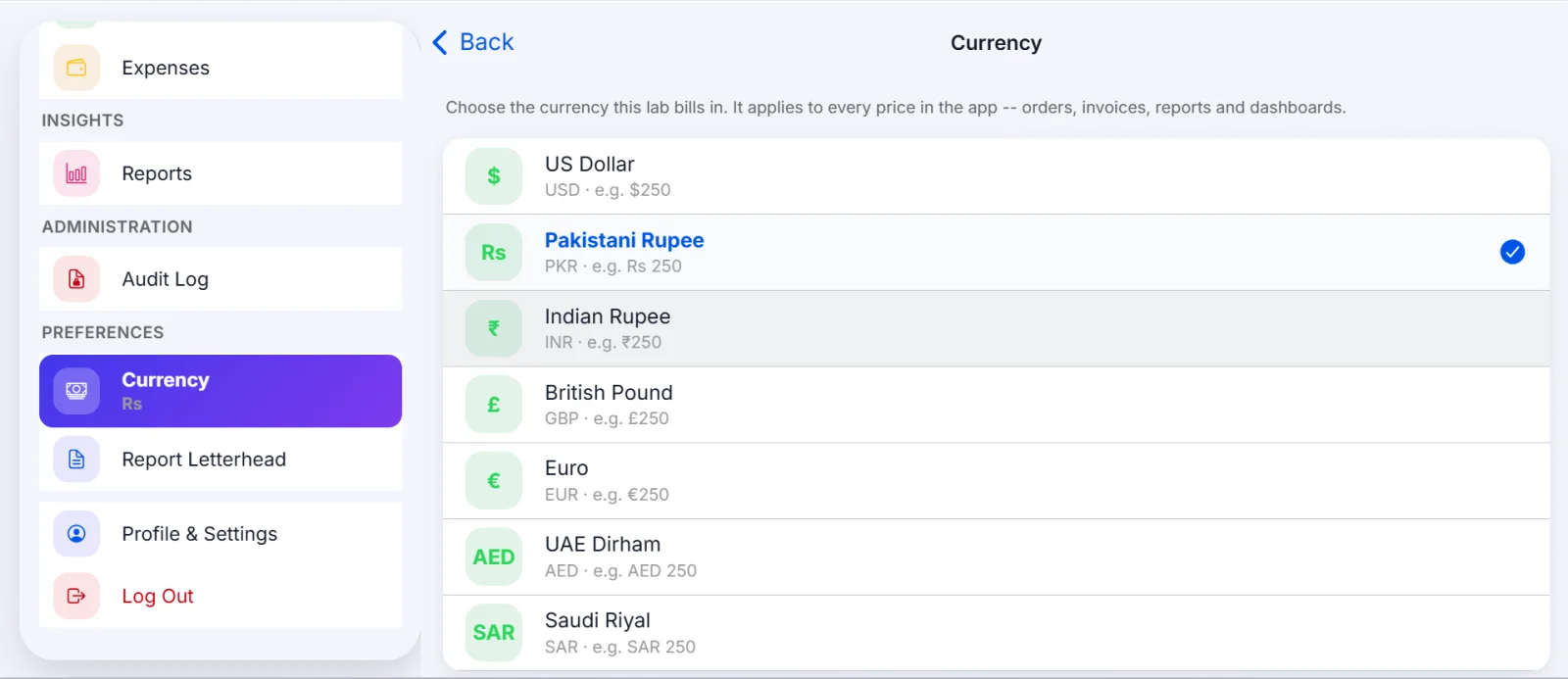
Currency settings for orders, invoices and reports in LabCare

Who Is LabCare For?

LabCare is lab management software, medical lab software and diagnostic lab software, built for medical laboratories and diagnostic centers that want one system for the whole lab.

Register patients and book tests

One place for patient records and test orders.

Track samples

With barcodes and QR codes.

Enter results

Against reference ranges.

Bill patients

And record payments.

Print professional lab reports

With the lab's own letterhead.

Key Highlights of LabCare

LabCare Features in Detail

From patient registration and test booking to sample tracking, results, billing and printable reports, see how each part of LabCare helps you run your lab. Choose a tab to read more.

Dashboard and Insights

The dashboard shows how your lab is doing at a glance:

  • Summary cards: Total Patients, Total Bookings, Total Collected and Unpaid Bills.
  • Quick actions: Add Patient, Book Test, Add Test, Payments and Reports.
  • Today's overview: tests booked, completed, pending and unpaid.
  • Revenue chart: switch between 7 days, 30 days and 3 months.
  • Insights: Top Tests Ordered, Department Workload and Orders by Status.
  • Pending Results: a list of samples still waiting for result entry.
  • Recent Patients and Recent Orders: for quick access.

You can also switch between light and dark themes.

Patient Management

Every patient gets a unique ID. Walk-in patients are supported as well.

Registration Form

The registration form covers:

  • Personal information: first and last name, gender, date of birth, phone, email and CNIC / passport.
  • Address: address, city and emergency contact.
  • Medical information: blood group, allergies and medical notes.

Patient List and Profile

The patient list can be filtered by All, Male and Female. Each patient profile has five tabs: Overview, Orders, Samples, Reports and Billing.

From the profile you can start a new test order directly.

Test Booking and Orders

Booking a Test in Six Steps

Booking a test follows six clear steps:

  • Select the patient by searching name or phone
  • Choose a referring doctor, or leave it blank for self / walk-in
  • Set the priority: Normal, Urgent or STAT
  • Add tests or packages
  • Add a discount and notes
  • Record a payment if you want to (optional at booking): Cash, Card, Bank Transfer or Online

Orders

The subtotal, discount and total update as you build the order.

Orders can be filtered as Pending, In Progress or Completed. Each order shows its items, samples and billing, with buttons to open the invoice and the report. After results are entered, the order is locked and cannot be edited or cancelled.

Sample Tracking, Barcode and QR Scanning

LabCare works as sample tracking software, from the moment a sample is collected until its result is ready.

  • Scan Sample: scan a 1D barcode or QR code with the camera, or type the Specimen Accession ID manually (format SMP-XXXXX).
  • Sample label: each sample gets a label with the lab name, patient, order, sample ID, test, QR code and date. You can print it or share it.
  • Lab worklist: search by sample ID, patient or test. Filter by department and by Pending, Received or Completed. Rejected samples are also shown.

Result Entry

LabCare has a dedicated Lab Result Entry screen for every order. When a sample is marked as Received in the lab worklist, the result entry screen opens for that order.

  • Order summary: patient name, gender and age, the number of tests on the order and the priority.
  • Test-wise parameters: each test lists its parameters, and key clinical parameters carry a KEY tag.
  • Result field with reference range: the reference range is shown next to each parameter, along with a suggested normal value that you can edit.
  • Automatic flag: each result gets a flag, such as Normal, so abnormal values are easy to spot.
  • Highlight abnormal results: a switch lets you highlight values outside the range.
  • Notes: an optional note or flag comment for each parameter.
  • Technician comments: a field for overall specimen or QC remarks.
  • Save & Generate Report: one button saves the results and creates the lab report.

Once results are entered, the order is locked, and the report shows the name of the user who entered the result along with the date and time.

Test Management and Test Packages

Test Management

Set up every test your lab offers:

  • Test details: name, code, department, category, sample type, container tube, price and turnaround time.
  • Fasting and preparation: fasting requirement and preparation instructions.
  • Categories: Biochemistry, General / Miscellaneous, Hematology, Immunology, Microbiology and Serology.
  • Sample types: Blood, Serum, Plasma, Urine, Stool, Swab, Sputum and CSF.
  • Parameters: name, unit and result type (Numeric, Text, Positive/Negative, Reactive/Non-Reactive, Present/Absent, Normal/Abnormal), with common units such as g/dL, mg/dL, %, U/L and mmol/L, and the option to add your own unit.
  • Reference ranges: male, female and child (under 12), plus critical low and high values.
  • Key clinical parameters: marked with a star on the report.

Test Packages

Combine tests into a package with its own code, name, description and price. LabCare shows the individual total next to the package price, so the saving is clear.

Departments and Referring Doctors

  • Departments: create departments with a name, code, head doctor, description and theme color. Mark them Active or Inactive.
  • Referring doctors: save the doctor's name, specialty, phone, email, clinic or hospital, and address. The list shows referral counts and Active / Inactive status. "Self / Walk-in" is available for direct patients.

Billing, Invoices and Expenses

LabCare works as lab billing software that keeps invoices, payments and expenses in one place.

  • Invoices and receipts: filter by Paid, Partial or Pending. Each invoice shows items, subtotal, discount, tax, total, paid and due amounts.
  • Payment history: partial payments are recorded as separate entries with the method, date and the user who received them.
  • Documents: view the receipt or download / share the full invoice PDF.
  • Expenses: record Equipment, Reagents, Salaries, Utilities, Rent, Maintenance, Transport or Other, with amount, date and description. You can also add your own category. Expenses can be edited or deleted.

Reports and Analytics

The Reports section has four parts:

  • Patient Reports: completed laboratory reports, ready to open.
  • Dashboard Overview: total patients, bookings, collected revenue, receivables, revenue trajectory, laboratory categories breakdown and department workload for the last 30 days.
  • Revenue & Cash: 30-day revenue, expenses, profit and outstanding amount, with payments by method and expenses by category.
  • Pending Tests: samples still awaiting results.

Professional Lab Reports with Your Letterhead

LabCare works as lab report software with QR code. Every patient report can be printed as a PDF or downloaded and shared.

What a Report Includes

  • Lab name, address, phone and email
  • Patient and order details: ID, phone, referring doctor, priority and date
  • A results table with Parameter, Result, Unit, Reference range and Flag
  • Key parameters marked with a star
  • The name of the user who entered the result, with date and time

Report Letterhead Settings

In Report Letterhead settings you control what is printed:

  • Lab details: name, address, phone, email, registration number and work timings.
  • Header: logo, address, phone and email, registration number.
  • Patient info strip: barcode and QR code ("Scan to download"). The QR code opens a no-login page that shows that one report.
  • Footer: the "Not valid for medico legal purpose" bar, work timings, a custom footer message and the "Powered by LabCare" line.

Audit Log, Currency and Sign-In

  • Audit Log: login activity is recorded with the user and the date and time.
  • Currency: choose USD, PKR, INR, GBP, EUR, AED or SAR. It applies to orders, invoices, reports and dashboards.
  • Sign-In: log in with email and password, or with Google. Profile and password settings are available inside the app.

How LabCare Works

Register the patient

Or continue as a walk-in.

Book the tests

Choose individual tests or a package.

Scan the sample

Print the sample label and scan the sample.

Track the sample

Follow it in the lab worklist.

Enter the results

Mark the sample as Received and enter the results against the reference ranges.

Print or share the report

Use the lab letterhead and QR code.

Collect payment

Issue the invoice or receipt.

Platform: Desktop and Mobile

LabCare is lab management software available as a desktop application and as a mobile app for medical and diagnostic laboratories.

Frequently Asked Questions

LabCare is a laboratory management system for medical and diagnostic labs, available on desktop and mobile. It covers patients, test booking, samples, results, billing and reports.

Yes. In Report Letterhead settings you add your lab details and choose which header and footer items appear on every report PDF.

Yes. Samples get a label with a QR code, and the Scan Sample screen reads 1D and 2D barcodes and QR codes. Reports can also carry a barcode and a QR code.

Yes. Invoices can be Paid, Partial or Pending, and each payment is saved in the payment history.

Yes. Each parameter can have male, female and child ranges, along with critical low and high values.

USD, PKR, INR, GBP, EUR, AED and SAR.

Yes. A package has its own price, and the saving against the individual tests is shown.

Yes. You can add a note for each parameter and overall specimen or QC remarks for the order.

Start Managing Your Laboratory with LabCare

Replace scattered registers and separate billing with one application, on desktop and mobile, for patients, samples, results, invoices and reports. Contact us to learn more about LabCare for your laboratory.

Book a Free Demo
WhatsApp Us