
CloudPOS

AutoCare: Auto Workshop and Garage Management Software

Manage customers, vehicles, job cards, spare parts, invoices, expenses and your team from one desktop app.

AutoCare is auto workshop management software built for car and bike workshops. It keeps your customer records, vehicle details, service jobs, parts and labor, inventory, invoices, income, expenses and staff in one place, so you can see how your workshop is doing at a glance.

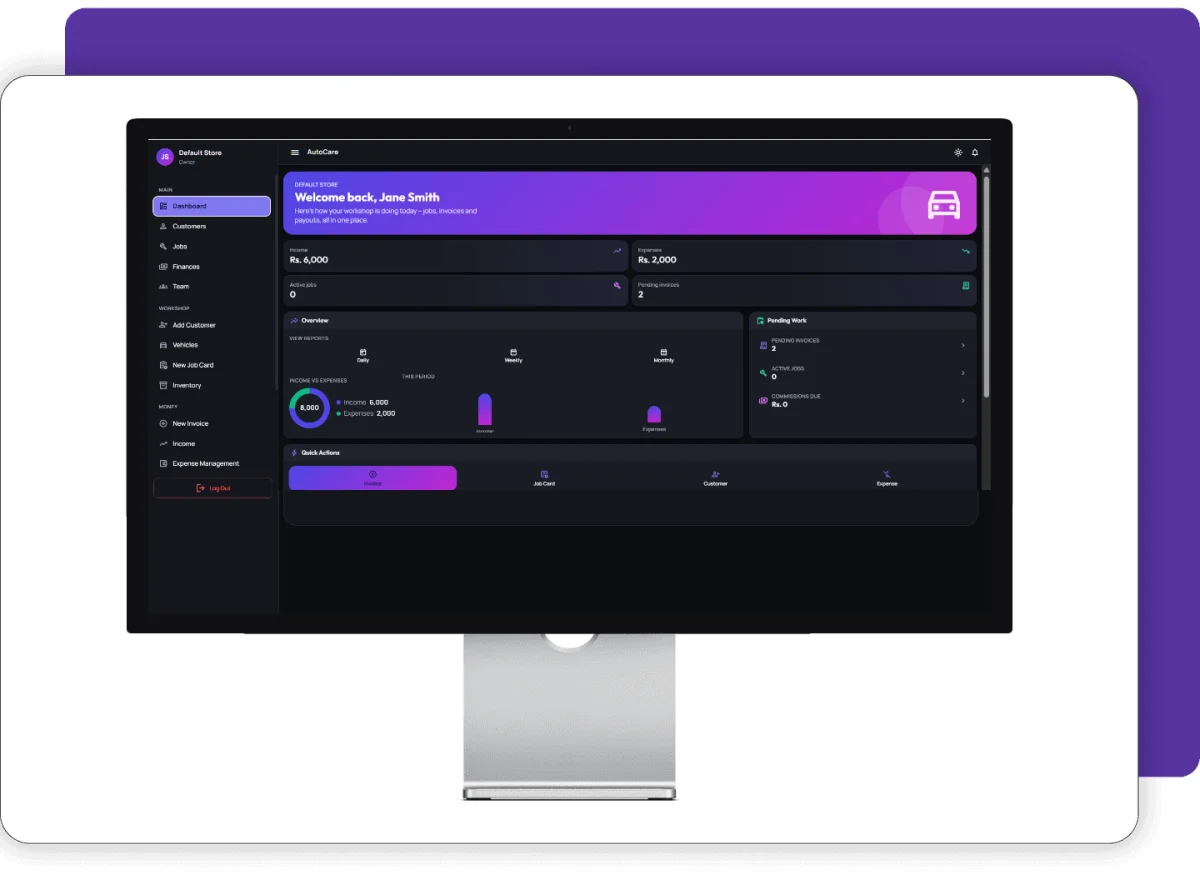
AutoCare auto workshop management software dashboard with income, expenses and active jobs

Screenshots

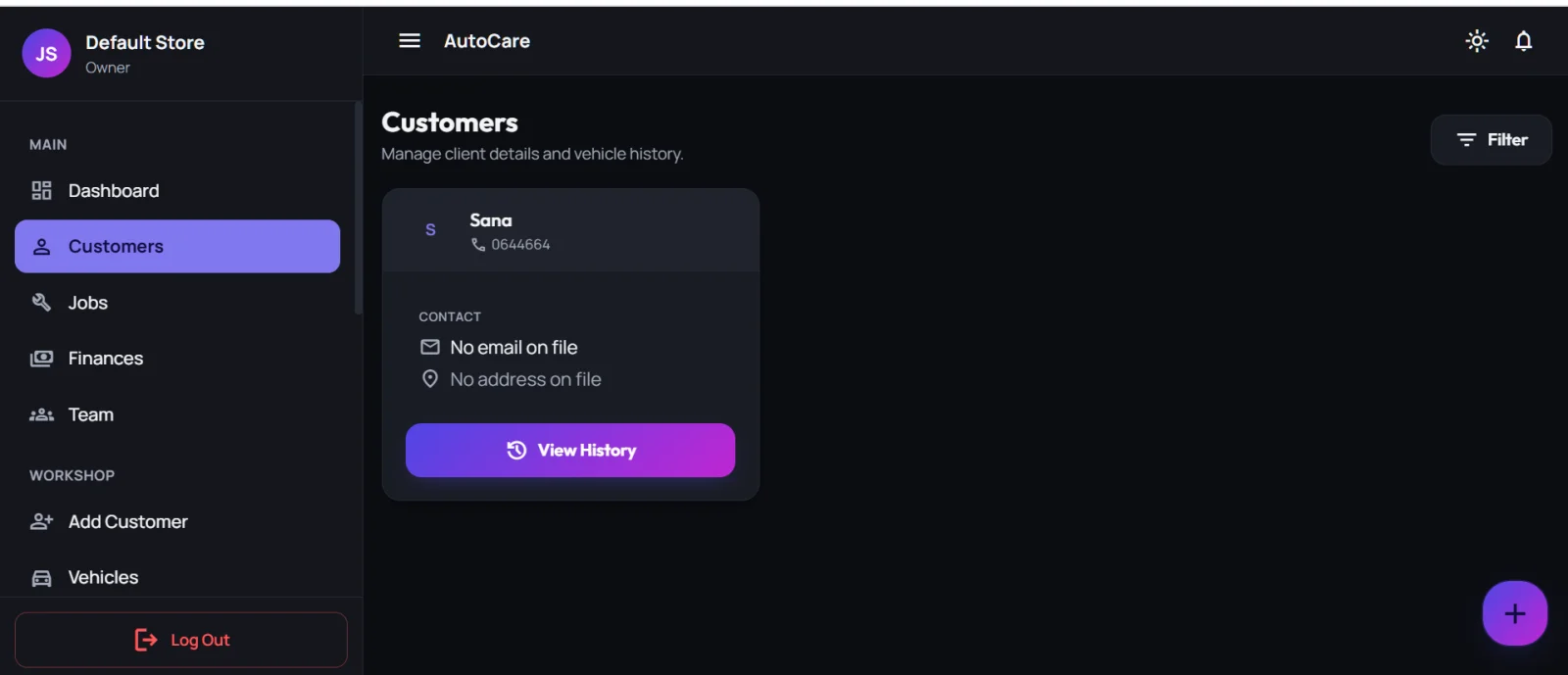
Auto workshop customer records with contact details and service history in AutoCare
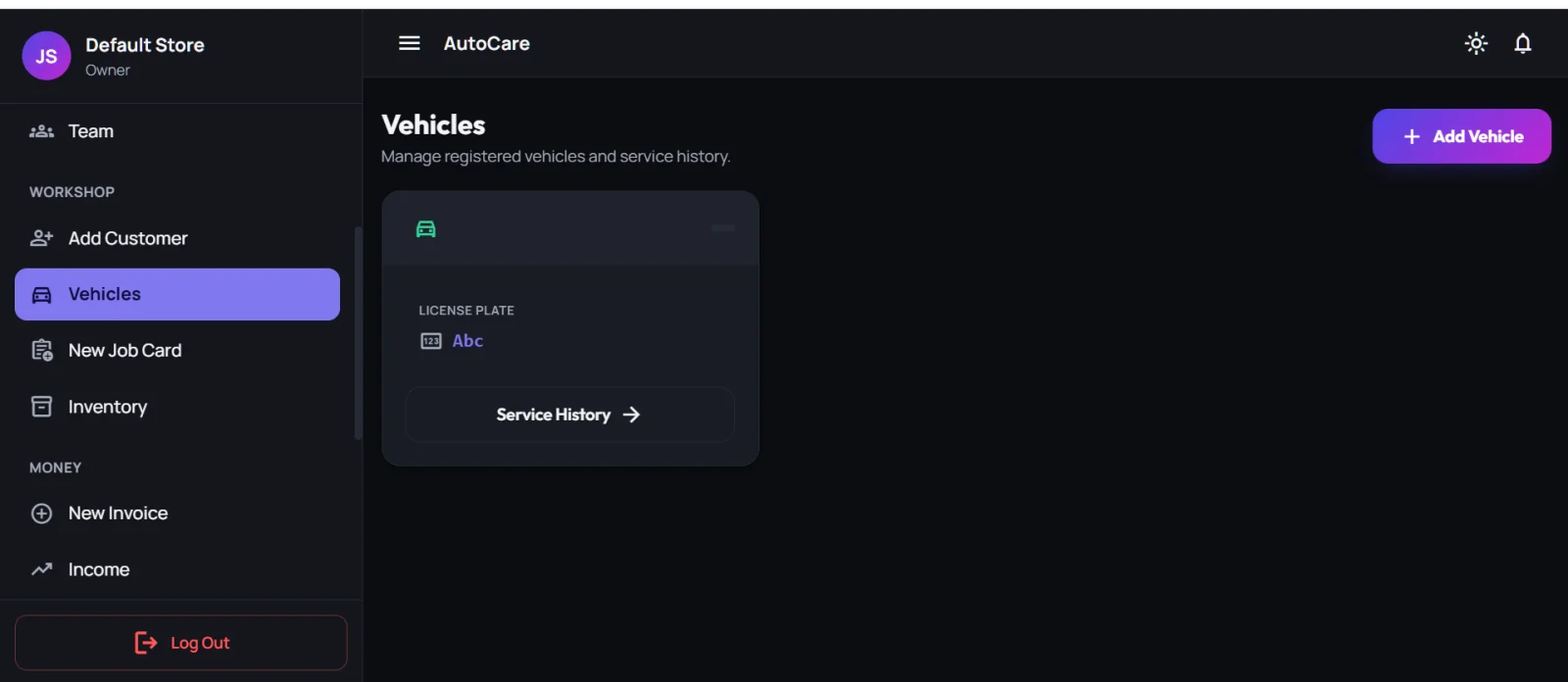
Workshop vehicle records with license plate and service history in AutoCare
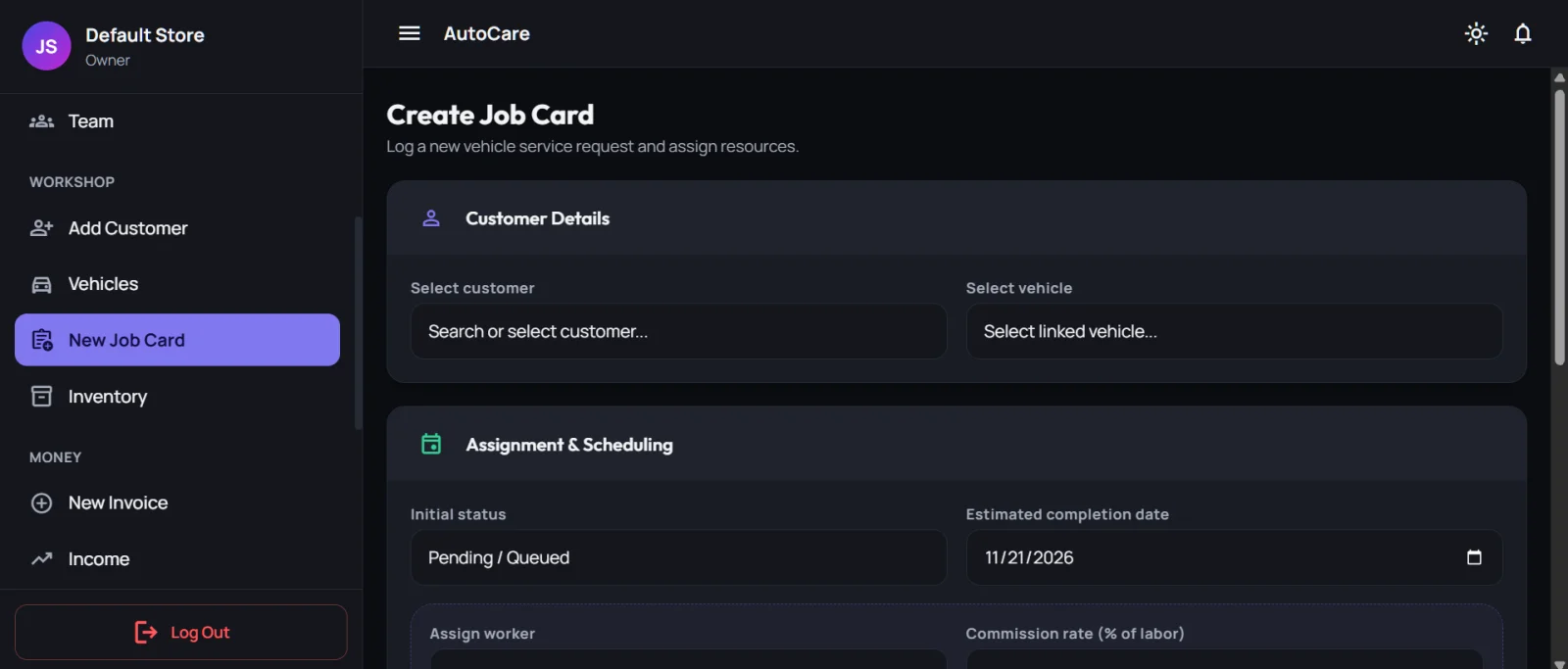
Job card screen with customer, vehicle, worker and commission rate in AutoCare workshop software
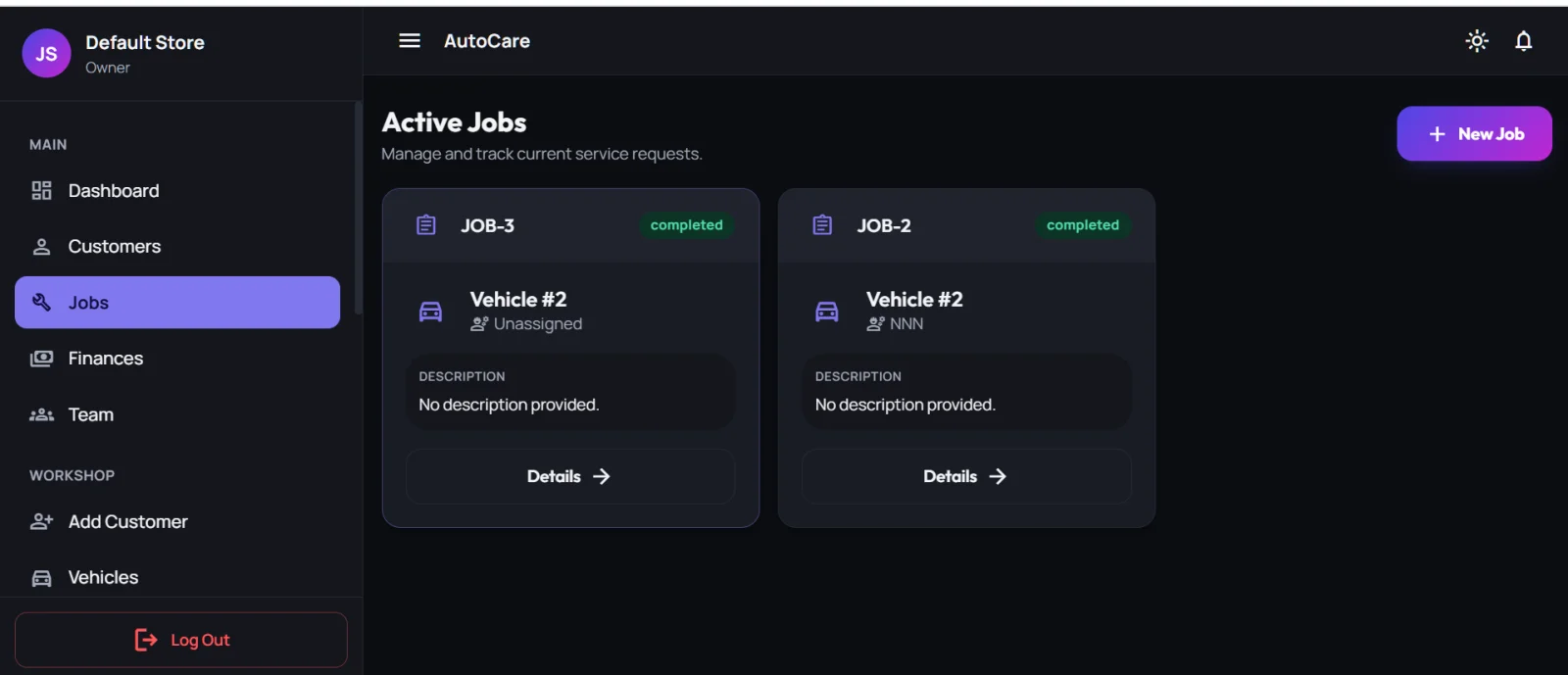
Active jobs list with job numbers and status in AutoCare garage management software
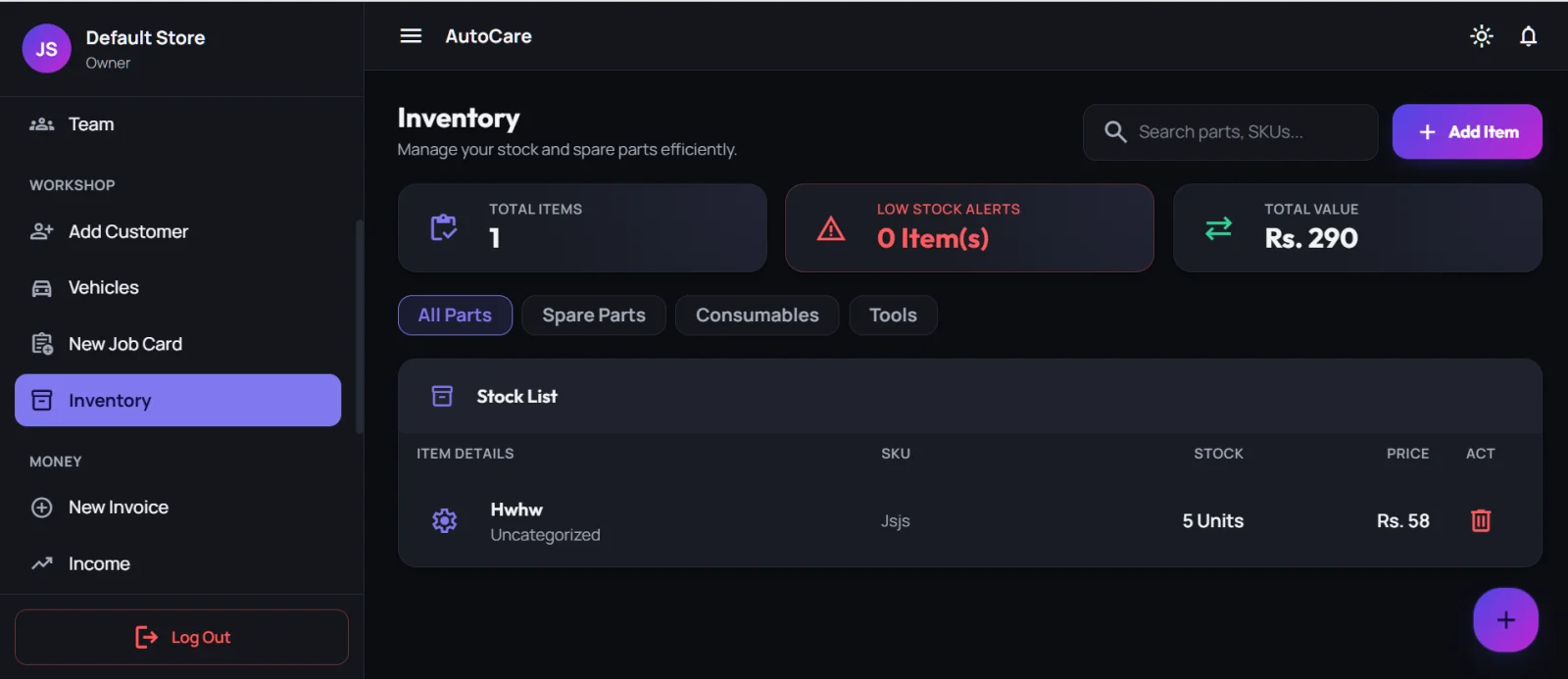
Workshop inventory and spare parts stock list in AutoCare
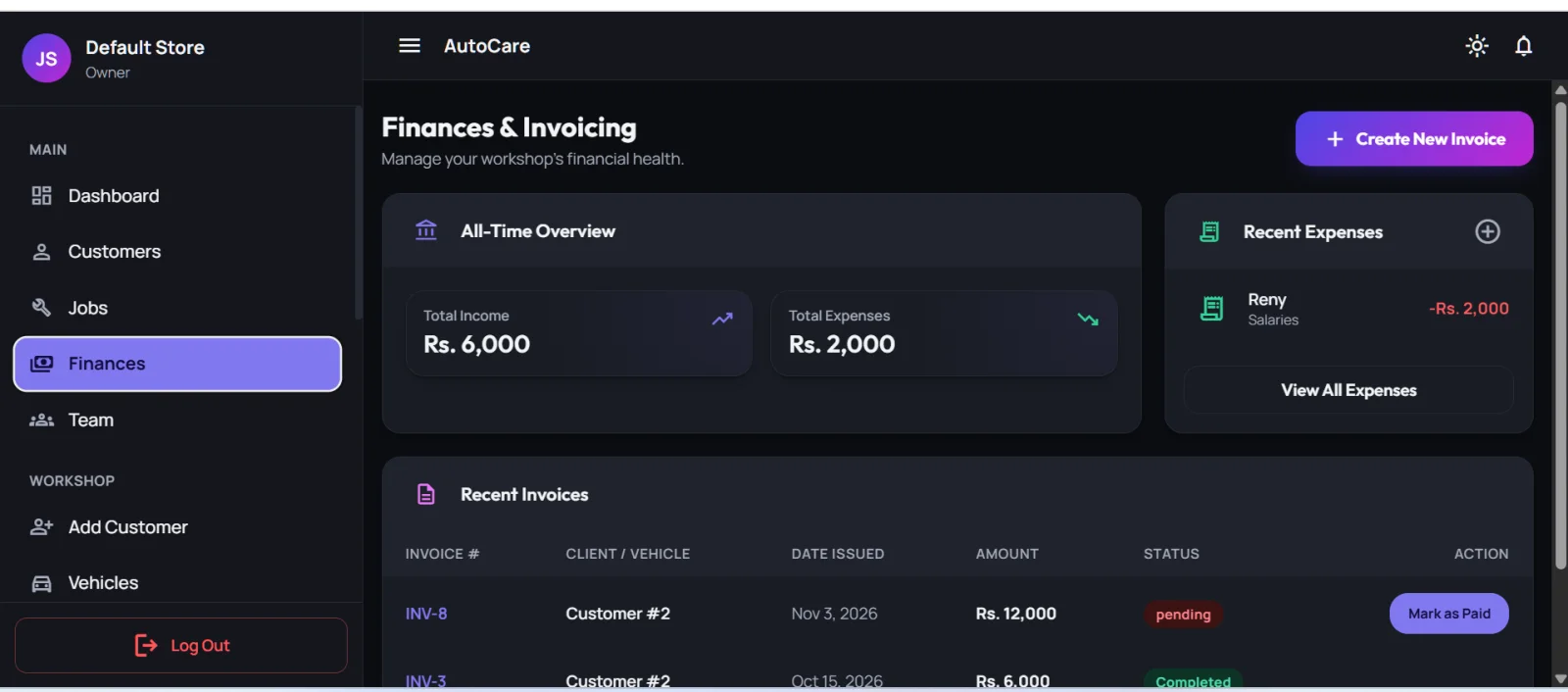
Workshop finances and invoicing screen with recent invoices in AutoCare
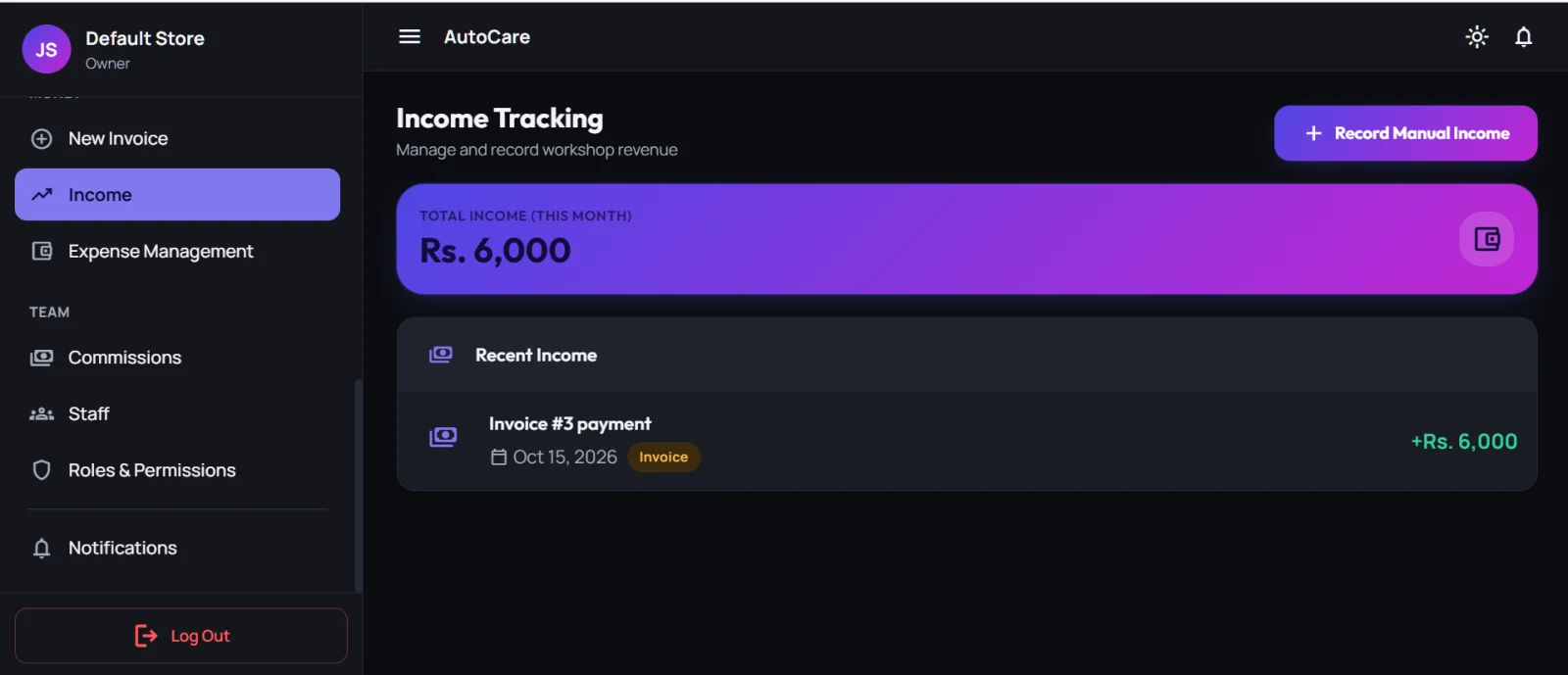
Workshop income tracking screen in AutoCare
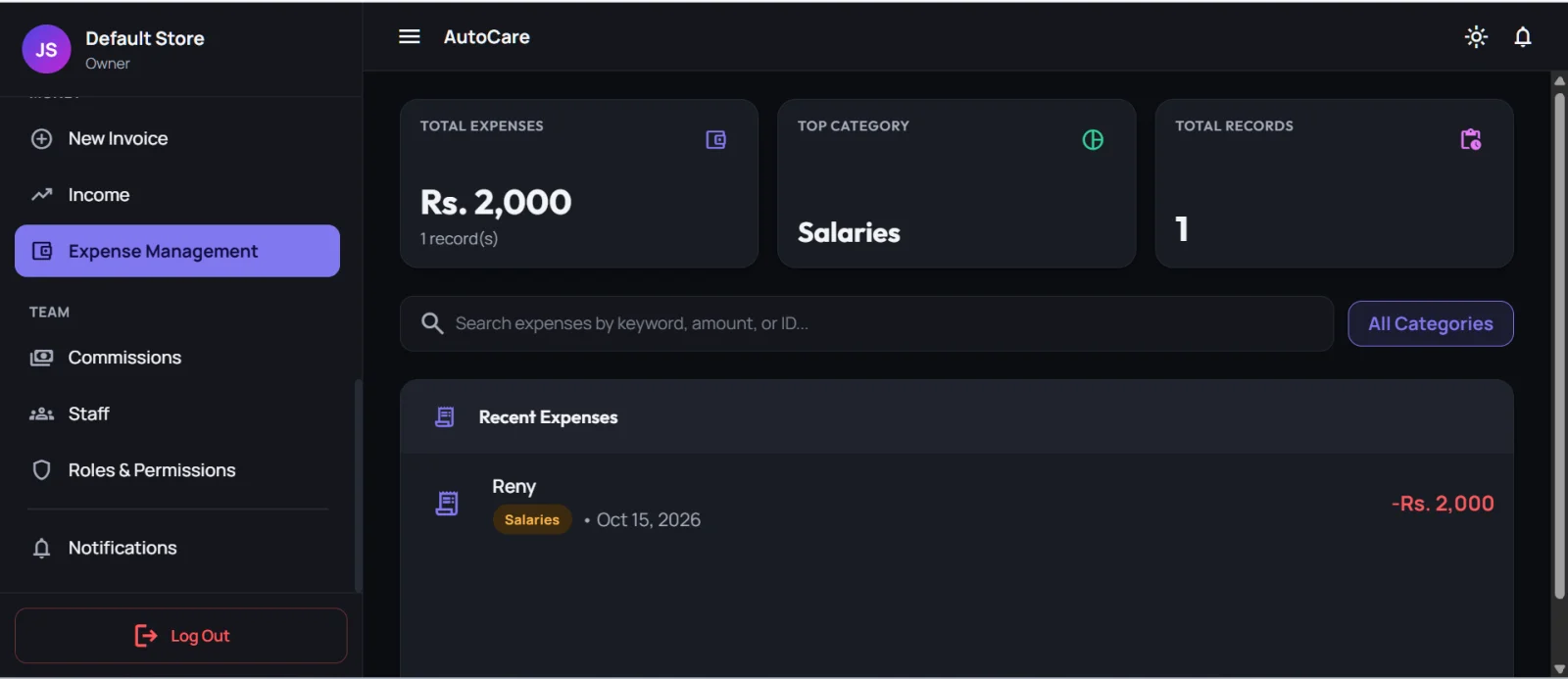
Workshop expense management by category in AutoCare
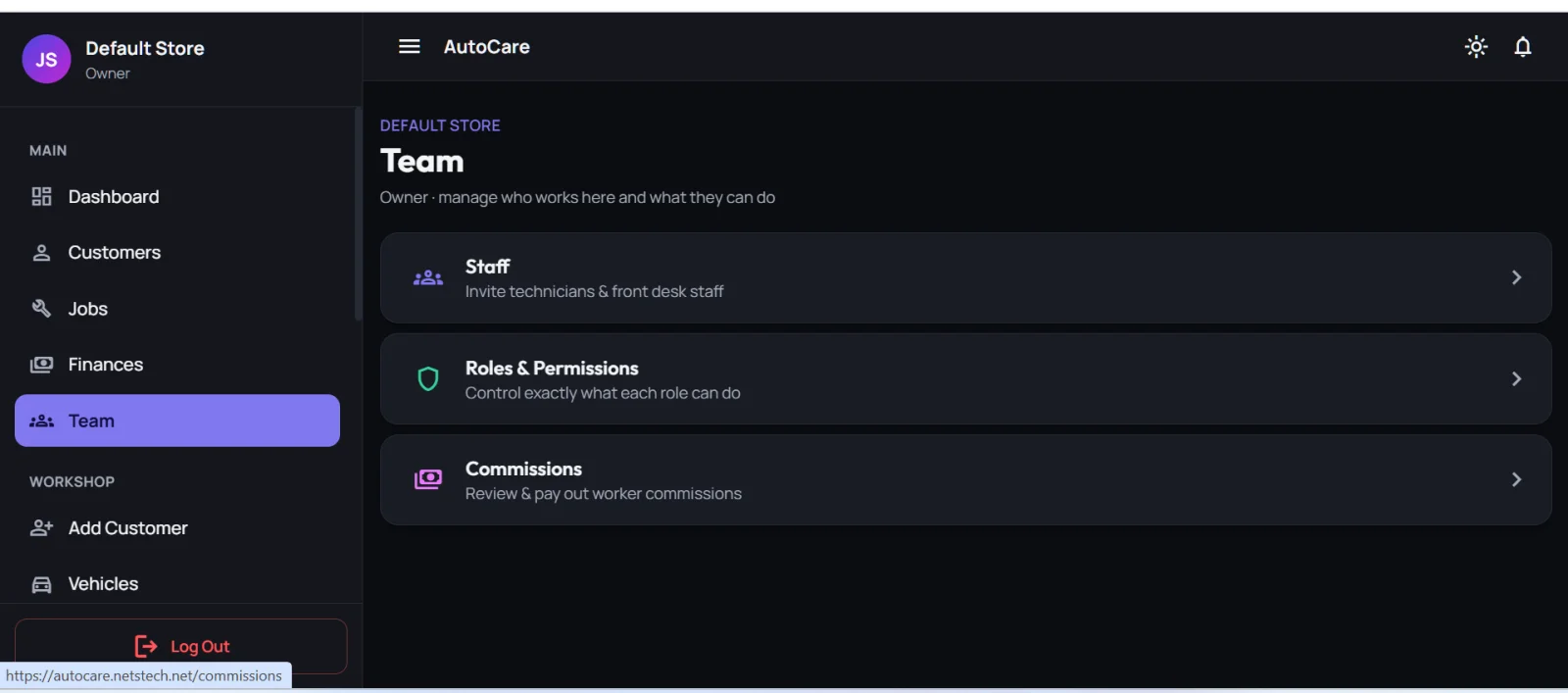
Workshop team, roles and commissions screen in AutoCare

Who Is AutoCare For?

AutoCare is auto repair shop software made for workshops that service vehicles and need to keep their records in order.

Car workshops and garages

Keep customers, jobs and invoices in order.

Bike workshops

Register vehicles as Bike and track every service.

Auto repair and service centers

That handle sedans, SUVs, trucks and bikes.

Workshop owners

Who want one view of income, expenses, active jobs and pending invoices.

Workshops with a team

Of mechanics, front desk staff and managers.

Key Features of AutoCare

AutoCare Features in Detail

From customers and vehicles to job cards, parts, invoices, reports and staff roles, see how each part of AutoCare helps you run your workshop. Choose a tab to read more.

Dashboard and Workshop at a Glance

The AutoCare dashboard shows your workshop at a glance.

  • Summary cards for Income, Expenses, Active jobs and Pending invoices
  • An Income vs Expenses overview
  • Pending work shortcuts: pending invoices, active jobs and commissions due
  • Quick actions to create an invoice, job card, customer, expense, parts entry, vehicle, or open expenses and inventory
  • Recent transactions with invoice number, date, amount and status

Customer and Vehicle Management

AutoCare keeps every customer and their vehicles together, so you always know who a vehicle belongs to and what work has been done on it. It works as vehicle service history software too.

Customer Records

  • Save the customer's first and last name, phone number, email address and full address (street, city, state/province, ZIP/postal code)
  • Add the customer's vehicle details in the same form: license plate, brand, model, year and an optional engine number
  • Keep additional notes for each customer
  • Filter your customer list
  • Open a customer's profile to edit or delete the record
  • See the customer's service history (past jobs) and payment records (invoices and their status) on one page
  • Start a new job for the customer straight from their profile

Vehicle Records

  • Register a vehicle and link it to its owner
  • Store license plate or vehicle number, brand, model, year and optional engine number
  • Choose the vehicle type: Sedan, SUV, Truck or Bike
  • Record mileage (km) and color
  • View each vehicle's service history from the vehicles list

Job Cards, Parts and Labor

AutoCare's job card system works as job card software for workshops. It lets you log every service request, assign it to a mechanic and track the work from start to finish.

Create a Job Card

  • Select the customer and their linked vehicle
  • Set the initial status: Pending / Queued or In Progress
  • Add an estimated completion date
  • Assign a worker (mechanic) and set a commission rate as a percentage of labor
  • Add notes about the assigned mechanic and additional notes for the job

Track the Job

  • See all active jobs in one list with job number, status, vehicle and assigned worker
  • Open any job to view its Parts & Labor Summary and estimated total
  • Add line items as Labor or Part, with name, quantity and price; the line total is calculated for you
  • Follow the activity timeline (created and last updated) and open full tracking
  • Change the assigned worker and commission rate from the job detail page
  • Completed jobs are marked as completed

Why It Helps

All parts and labor for a vehicle stay attached to its job card, so your estimated total is always clear and every job can be traced back to the vehicle and customer.

Inventory and Spare Parts Management

AutoCare's inventory module helps with workshop inventory management, so you can manage your stock and spare parts efficiently.

  • Inventory summary cards: Total Items, Low Stock Alerts and Total Value
  • Browse stock by category: All Parts, Spare Parts, Consumables and Tools
  • Search your inventory
  • Stock list with item details, SKU, stock quantity and price
  • Add a spare part with part name, quantity, unit cost and an optional SKU
  • Add labor entries with service or mechanic name, working hours and hourly rate, with an estimated total calculated automatically (labor is tracked per job card)
  • Delete items you no longer need

Invoicing, Income and Expense Management

Keep your workshop's money in order with workshop invoicing software, income records and expense tracking in the same app.

Invoicing

  • Generate an invoice for a customer with invoice number and issue date
  • Apply a discount (percentage or amount) and tax (GST/VAT) (percentage or amount)
  • Set the payment status as Pending or Paid, and see the invoice total
  • See recent invoices with invoice number, client, date, amount and status
  • Mark a pending invoice as paid with one click

Income Tracking

  • See total income for the month and a list of recent income
  • Invoice payments appear in income automatically
  • Record manual income with description, amount, source and date

Expense Management

  • Record an expense with title, amount, category, date and notes
  • Expense categories: Rent, Salaries, Utilities, Purchase of Spare Parts and Others
  • See total expenses, top category and total records
  • Filter expenses by category and search your expense records

Workshop Reports

AutoCare gives you daily, weekly and monthly reports:

ReportWhat you see
DailyIncome vs expenses for the day
WeeklyWeekly net profit, total income, total expenses and the week's transactions
MonthlyTotal revenue, total expenses, net profit, jobs completed and the month's transactions

You can move between weeks and months to review earlier periods.

Staff Management, Roles and Permissions

Staff Management

  • Invite staff with full name, email, a temporary password and a role
  • View your staff list with each member's role and active status
  • Assign a worker to a job card

Roles and Permissions

AutoCare comes with four built-in roles: Owner, Manager, Front Desk and Technician. You can also create your own roles and choose exactly what each role can do.

Permissions are available for Dashboard, Customers (view, add / edit), Vehicles (view, add / edit), Job cards (view, create / edit, assign workers), Inventory (view, add / edit), Finance (view, record income, expenses and invoices), Reports, Team (view staff, invite / edit / disable staff, create / edit roles), Commissions (view own, view and approve all) and Notifications (send and manage).

Worker Commissions

AutoCare handles mechanic commission tracking, so every worker is paid fairly for the labor they do.

  • Set a commission rate (% of labor) on a job card and assign the worker
  • Track total earned and awaiting payout commissions
  • Review and pay out worker commissions from the Commissions page
  • See commissions due on the dashboard

Notifications

Send messages to your customers and your team from inside the app:

  • Send an announcement, reminder or alert
  • Choose the recipients: all customers, a specific customer or all staff
  • Write a title and message (up to 500 characters, markdown supported)
  • Choose delivery as a push notification or as WhatsApp / SMS

Why Choose AutoCare for Your Workshop?

One place for everythingCustomers, vehicles, job cards, parts, invoices, expenses and staff.
Clear job trackingEvery job has its vehicle, worker, parts and labor, and estimated total.
Better control of stockTotal items, total value and low stock alerts.
Simple money trackingInvoices, income, expenses and weekly and monthly profit reports.
Team controlFour built-in roles plus custom roles and permissions.
Fair mechanic payoutsCommission rate set per job and tracked until payout.
Car and bike workshopsWorks as bike workshop management software too: vehicle types include Sedan, SUV, Truck and Bike.

AutoCare Desktop App and Mobile App

AutoCare is car workshop software and garage software for workshops in Pakistan, available as a Desktop App and as a Mobile App.

Desktop Workshop Software

Use AutoCare as a Desktop App at your workshop counter.

Mobile App for Workshops

AutoCare is also available as a Mobile App.

Frequently Asked Questions

AutoCare is auto workshop management software that helps you manage customers, vehicles, job cards, spare parts, invoices, expenses, reports and staff in one app.

Yes. When you register a vehicle you can choose its type: Sedan, SUV, Truck or Bike.

Yes. Every job card has line items for labor and parts with quantity and price, and shows an estimated total.

Yes. When you generate an invoice you can add a discount and tax (GST/VAT), either as a percentage or an amount, and set the invoice as pending or paid.

Yes. A customer's profile shows their service history and payment records, and the vehicles list gives access to each vehicle's service history.

Yes. Assign each staff member a role (Owner, Manager, Front Desk, Technician or a custom role) and choose the permissions for that role.

Yes. Set a commission rate as a percentage of labor on the job card, then review earned and awaiting-payout commissions on the Commissions page.

Daily income vs expenses, plus weekly and monthly overviews with income, expenses, net profit and, for the month, jobs completed.

Yes. You can send an announcement, reminder or alert to all customers, a specific customer or all staff, as a push notification or WhatsApp / SMS.

Ready to Run Your Workshop with AutoCare?

Manage your customers, jobs, parts, invoices and team in one app. Get AutoCare or contact CloudPOS today.

Book a Free Demo
WhatsApp Us