
CloudPOS

Accounting and Inventory Software in Pakistan

LightAccounts is easy-to-use accounting and inventory software in Pakistan for shops, traders, wholesalers and distributors. Manage sales, purchases, stock, cash, bank transactions, and customer and supplier balances in one place. Keep track of payments, outstanding amounts and available inventory without switching between different records.

Move beyond manual accounting records and Excel sheets. Simply add your customers, suppliers and products, enter your opening balances and stock, and start managing your daily business transactions with organized accounting and inventory records.

Screenshots

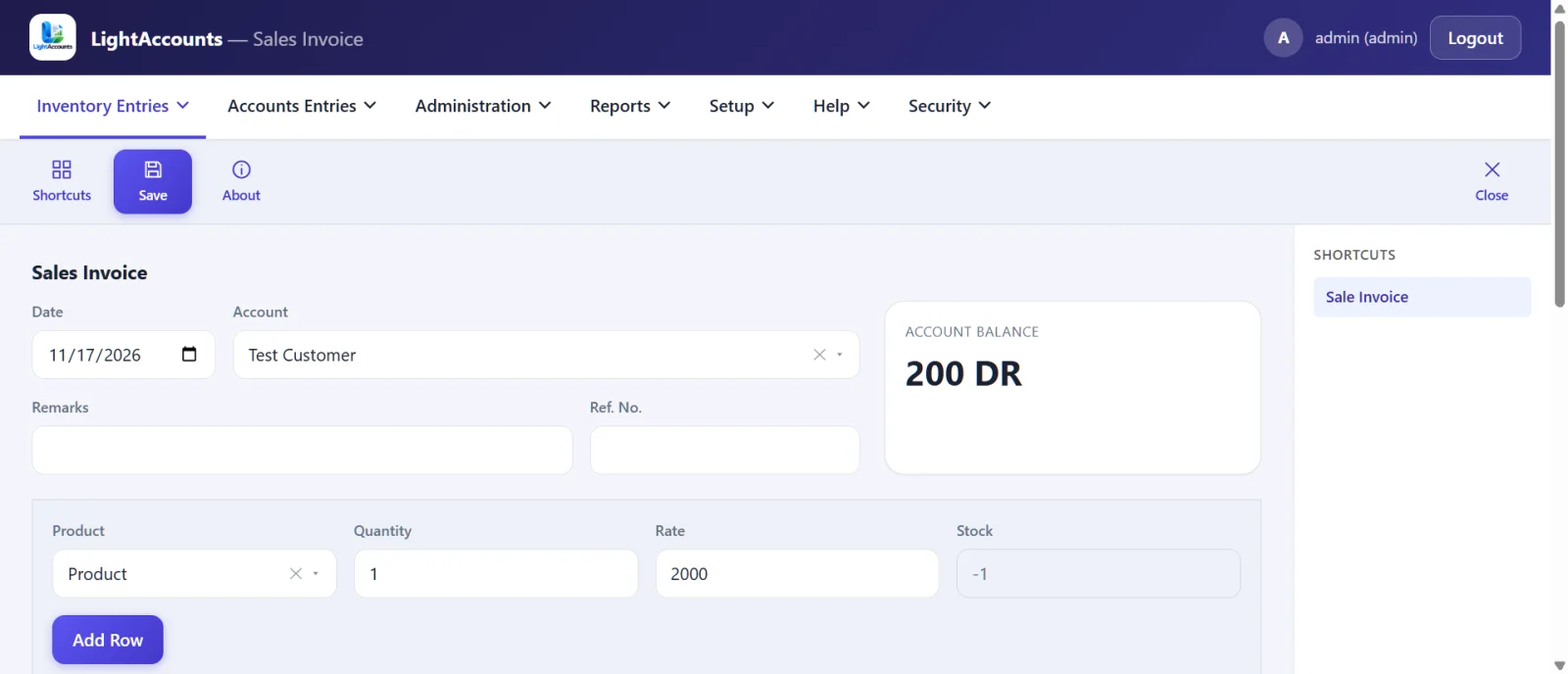
LightAccounts sale invoice screen with account balance and product stock
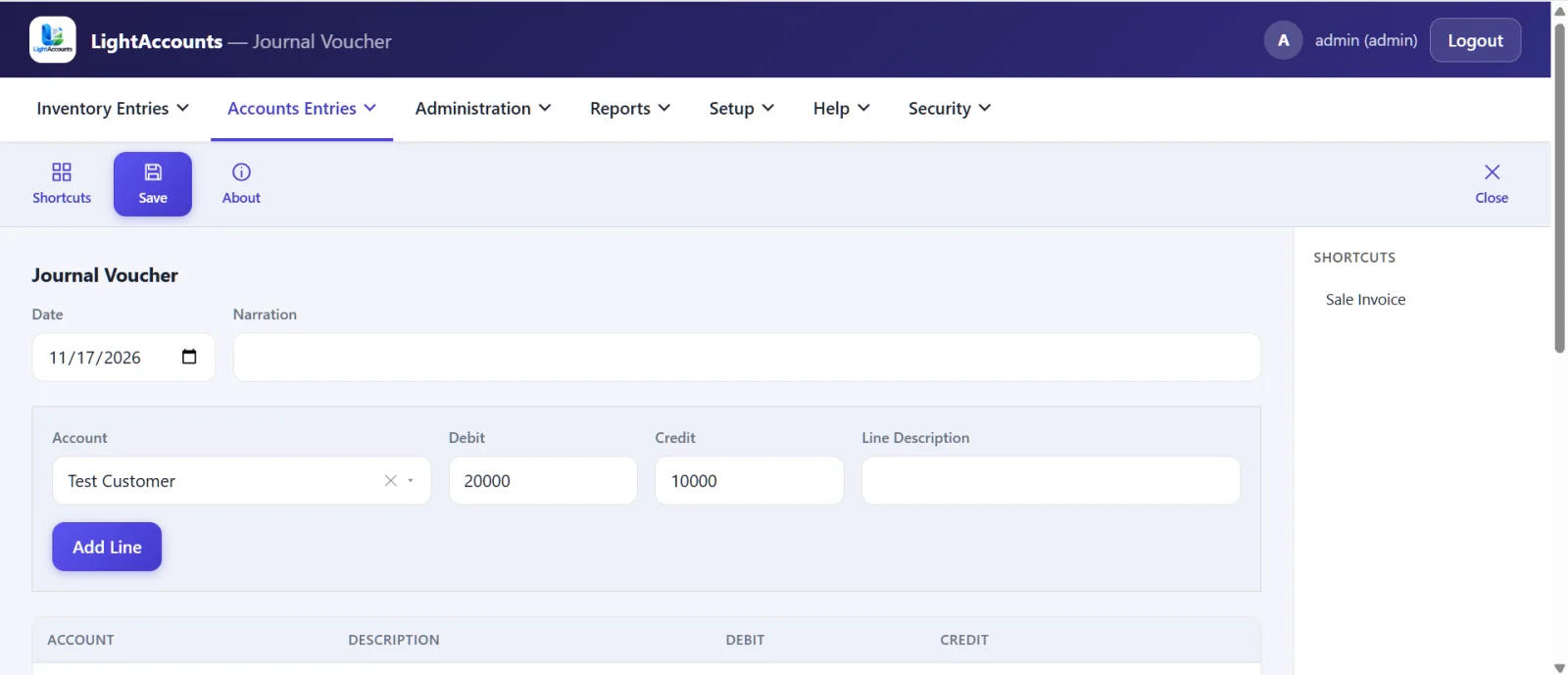
LightAccounts journal voucher screen with debit and credit lines
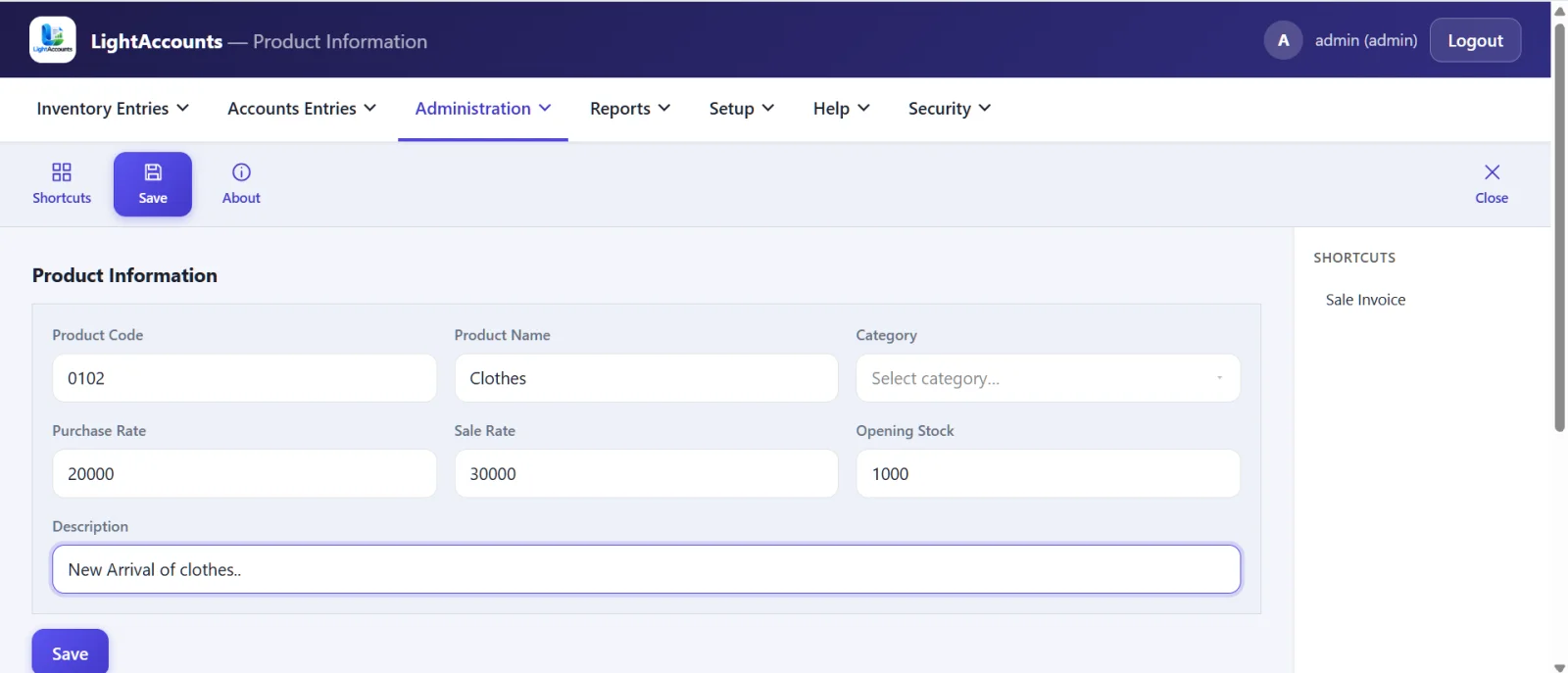
LightAccounts product information screen with purchase rate, sale rate and opening stock
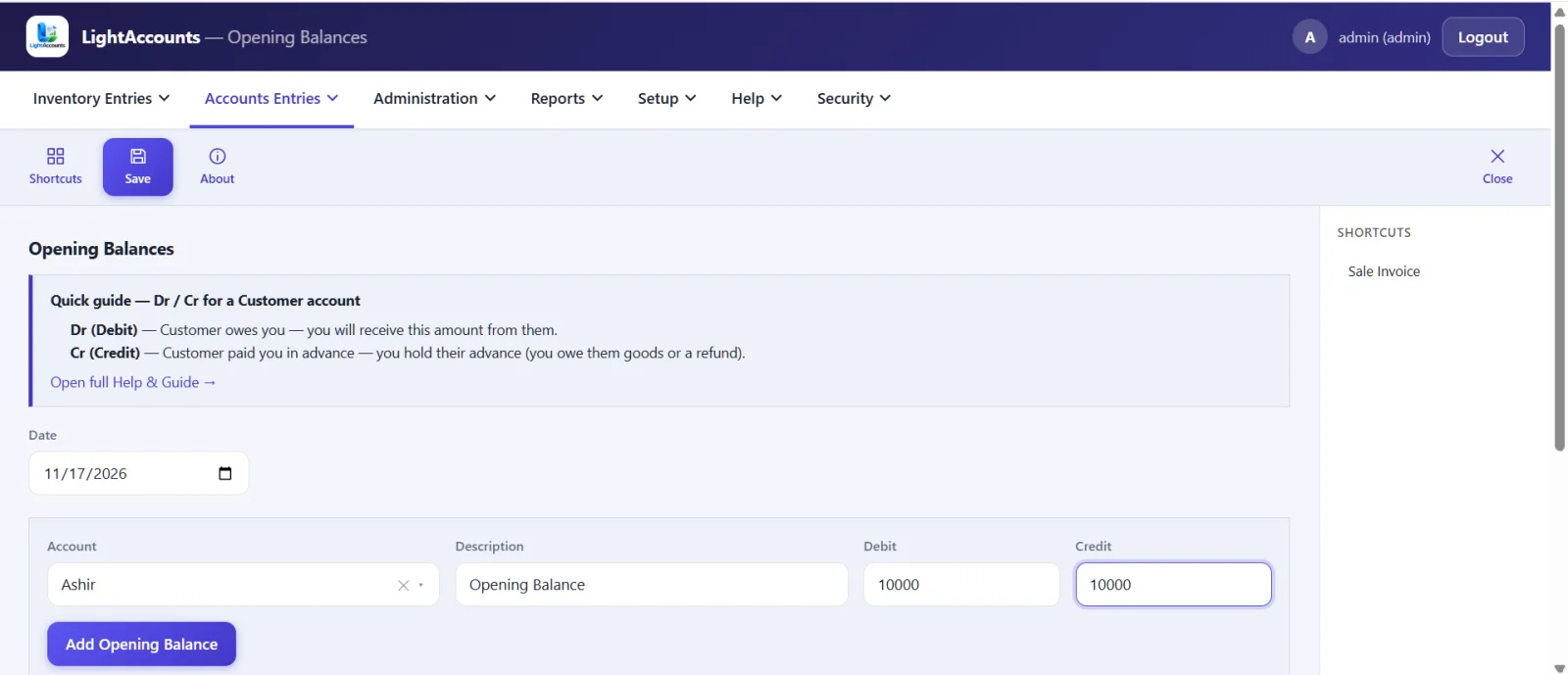
LightAccounts opening balances screen with quick debit and credit guide
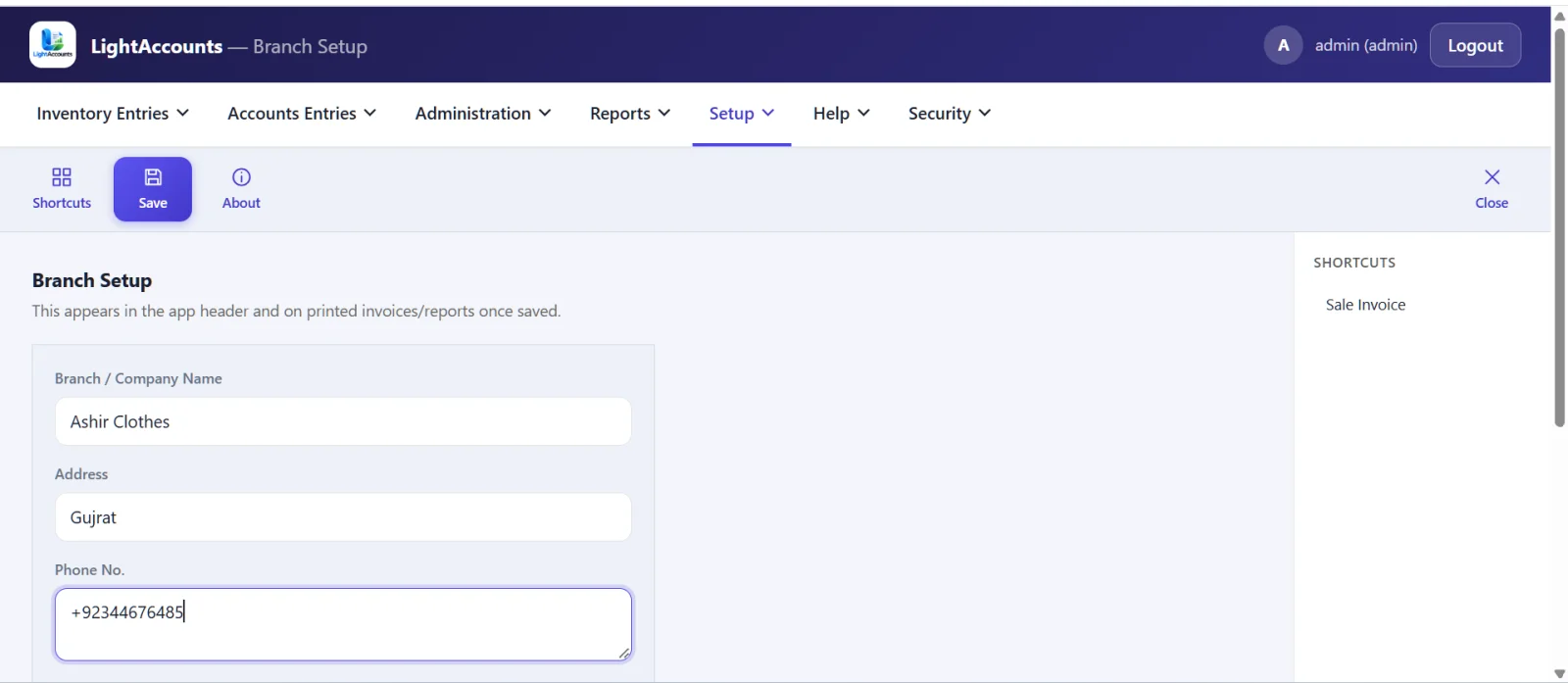
LightAccounts branch setup screen for company name, address and phone

What Is LightAccounts? Simple Accounting and Inventory Software

LightAccounts is web-based accounting and inventory software designed to help businesses manage their daily transactions in one place. Access it through your browser and record every sale, purchase, return, cash receipt, cash payment and bank deposit using numbered vouchers. Customer balances, supplier balances and stock quantities update automatically after each entry.

Web-Based Accounting

Access LightAccounts directly through your browser. Simply log in and manage your business accounts online.

Numbered vouchers

Every transaction gets its own voucher number, such as SL, PU, RC, PV or JV, making records easier to identify and track.

Balances update by themselves

Customer balances, supplier balances and stock quantities update automatically after every transaction.

Accounting and stock together

Manage sales, purchases and inventory together, with stock levels updating automatically after each transaction.

Simple Business Setup

Add customers, suppliers and products, enter opening balances and opening stock, and start recording daily transactions.

PDF Reports and Printing

Download accounting and inventory reports as PDF files or print them. You can also print your invoices for business records.

Accounting and Inventory Software Features

Explore the key features of LightAccounts, from sales and purchase invoices to accounting vouchers, product and stock management, opening balances and user access. Manage your daily accounting and inventory operations in one organized system.

Sale and Purchase Invoices Made Easy

Create sales and purchase invoices in just a few clicks. This sale and purchase accounting software displays current customer and supplier balances, along with available product stock, as you enter invoice details.

  • See the current balance of the customer or supplier while you pick the party
  • See the available stock while you pick a product
  • Add a discount on sale invoices, then Save or Save and Print
  • A sale invoice reduces stock and raises the customer balance; a purchase invoice adds stock and raises the supplier balance
  • Sale return and purchase return correct the stock and the party balance automatically

Customer, Supplier, Cash and Bank Account Management

Create accounts for customers, suppliers, cash, banks, expenses and income. Record every payment through a numbered voucher. LightAccounts follows the double-entry accounting system, keeping debit and credit entries organized.

  • Enter an opening balance as debit or credit, with phone, city and address
  • Customer ledger and supplier ledger show every entry with a running balance
  • Cash Receive, Cash Payment and Bank Deposit vouchers, with payment modes Cash, Cheque and Bank ready and your own modes if you need them
  • Journal voucher with a check that total debit equals total credit before you save
  • Cash account created automatically on your first cash entry

Products, Stock and Customer-Wise Prices

Sales and purchases automatically update stock, so this inventory management software for Pakistani shops always shows your available quantities and stock value. You can also set customer-specific product prices that are applied automatically when creating sales invoices.

  • Add products with code, category, purchase rate, sale rate and opening stock
  • Group products in product categories
  • Stock Report shows quantity and value for each product
  • A customer wise price list: set a special rate for one customer once, and it is used automatically on the sale invoice. Other products use the normal sale rate
  • Sale Price List report with all your prices in one place

Start From Your Old Balances and Fix Mistakes Easily

Begin with your existing position, and correct a wrong entry without trouble.

  • On the Opening Balance screen, enter what each customer, supplier, cash or bank account already owed or held
  • A quick guide on the same screen explains debit and credit for the account you pick
  • Enter opening stock for your products when you start
  • Open the recent vouchers list under any form, then edit or delete an entry. Balances and stock are reversed automatically
  • A voucher form left half finished is remembered when you come back

Users, Roles and Your Business Name on Every Document

Give each person their own login, and print your business details on every invoice and report.

  • Four roles: Admin, Cashier, Accountant and Viewer
  • The admin controls access and can change the software name and logo; users can change their password at any time
  • Add your company name, address, phone number and logo once in Branch Setup, and they print on invoices and reports
  • Payment modes Bank, Cash and Cheque are ready, and you can add more
  • A one-click shortcuts dashboard with tiles for invoices, returns, day book, vouchers, accounts, products, rate list and reports

Reports You Get: Ledgers, Day Book and Trial Balance

See who owes you, whom you owe and what is in stock with ten ready-to-use accounting and inventory reports.

Accounts Ledger

Filter by account type, account, product and date range.

Customer Ledger

View every customer transaction with a running balance.

Supplier Ledger

View every supplier transaction with a running balance.

Day Book

Filter by date, account, account type, received or paid.

Sales Report

View sales records for any selected date range.

Purchase Report

View purchase records for any selected date range.

Product Sales Summary

A summary of sales for each product.

Stock Report

View stock quantities and their values.

Sale Price List

View all product sale prices in one list.

Trial Balance

Check debit and credit balances for a selected date range.

Run any report for a date range and download it as a PDF or print it. The Accounts Ledger can also be filtered by account type, account and product.

Who Is LightAccounts For?

LightAccounts is small business accounting software in Pakistan, designed for traders, wholesalers, retailers and distributors who need simple accounting and inventory management.

Traders and wholesalers

Manage credit sales and keep track of customer balances.

Retail shops

Manage sales, purchases and stock in one place.

Distributors

Set different product prices for different customers.

Small businesses

Manage daily accounts with simple software instead of a complex ERP system.

Accountants

Need ledgers, day book and trial balance for their clients.

How to Get Started in 5 Steps

The built-in Help and Guide explains debit and credit in simple terms, so you can get started without being an accounting expert.

Business details

Enter your business details in Branch Setup.

Accounts

Add customers, suppliers, cash and bank accounts.

Products

Add product categories and products.

Opening position

Enter opening balances and opening stock.

Daily work

Record daily sales, purchases, receipts and payments, then check your reports.

Why Choose LightAccounts?

Simple screens that staff can learn fast

Accounting and inventory working together

Balances and stock update after every entry

Role-based users for cashier, accountant and viewer

PDF and print for reports and invoices

Works in your browser

Frequently Asked Questions About LightAccounts

LightAccounts is online accounting software for Pakistani businesses that opens in your browser. It manages sale and purchase invoices, returns, cash and bank vouchers, customer and supplier ledgers, stock and reports.

Yes. It is built to be simple. A small shop or trading business can record sales, purchases, stock and customer balances without accounting knowledge.

Yes. Sales and purchases change your stock automatically, and the stock report shows quantity and value for each product.

Yes. The customer ledger and supplier ledger show all entries with a running balance, and the balance is also visible while you create an invoice.

Yes. Use the Customer Rate List to set special prices. They apply automatically on the sale invoice.

Yes. Both are in the Reports menu, and you can download or print them.

Yes. You can create users with Admin, Cashier, Accountant or Viewer roles.

Yes. Add them in Branch Setup and they print on invoices and reports.

Yes. Edit or delete it from the recent vouchers list. Balances and stock are corrected automatically.

Yes. Enter opening balances for your accounts and opening stock for your products. The Opening Balance screen has a quick Dr and Cr guide to help you.

Want to See LightAccounts Working for Your Business?

Contact us for a demo and we will show you how to set up your accounts and stock.

Book a Free Demo
WhatsApp Us