POS Software vs Excel in Pakistan: An Honest Comparison for Growing Retailers
Weighing whether to run your Pakistani retail store on Microsoft Excel or switch to automated POS software? This honest, practical comparison breaks down checkout speed, inventory accuracy, staff security, and total operational costs to help you decide what fits your business stage.
In this article
- The Fundamental Difference: Calculation Tool vs. Operating System
- Head-to-Head Comparison: Excel vs. POS Software
- 1. Counter Speed and Billing Efficiency
- 2. Inventory Accuracy and Stock Drift
- 3. Staff Accountability and Anti-Theft Security
- 4. Multi-Branch and Remote Visibility
- 5. End-of-Day Closing and Financial Reporting
- Comparison Matrix: POS Software vs Excel at a Glance
- The 6-Point Readiness Checklist: Is It Time to Retire Your Spreadsheets?
- Who Each Option Truly Suits
- When Microsoft Excel Remains the Sensible Choice:
- When POS Software Is Essential:
- How CloudPOS Helps Pakistani Businesses Make the Leap
- Moving from Spreadsheets to Scalable Growth
Walk into almost any newly opened retail outlet, godown, or boutique in Karachi, Lahore, or Rawalpindi, and you will likely find the owner seated behind a laptop running Microsoft Excel or Google Sheets. It makes complete sense at the start, long before the POS software vs Excel question comes up: spreadsheets are familiar, immediately available, and cost virtually nothing to set up. You can create columns for item names, purchase rates, selling prices, and customer balances within minutes.
Yet as your daily customer footfall climbs from twenty shoppers to two hundred, that flexible spreadsheet often turns into a daily operational bottleneck. Cashiers scramble to look up prices, evening reconciliations drag on until midnight, and physical stock on the shelf stops matching the numbers on the screen.
If you are currently deciding whether to keep fine-tuning your spreadsheets or invest in specialized retail software, you need an honest assessment. This guide provides a balanced, head-to-head evaluation of POS software vs Excel to help Pakistani retailers, wholesalers, and service businesses choose the right operating model for their current stage.
The Fundamental Difference: Calculation Tool vs. Operating System
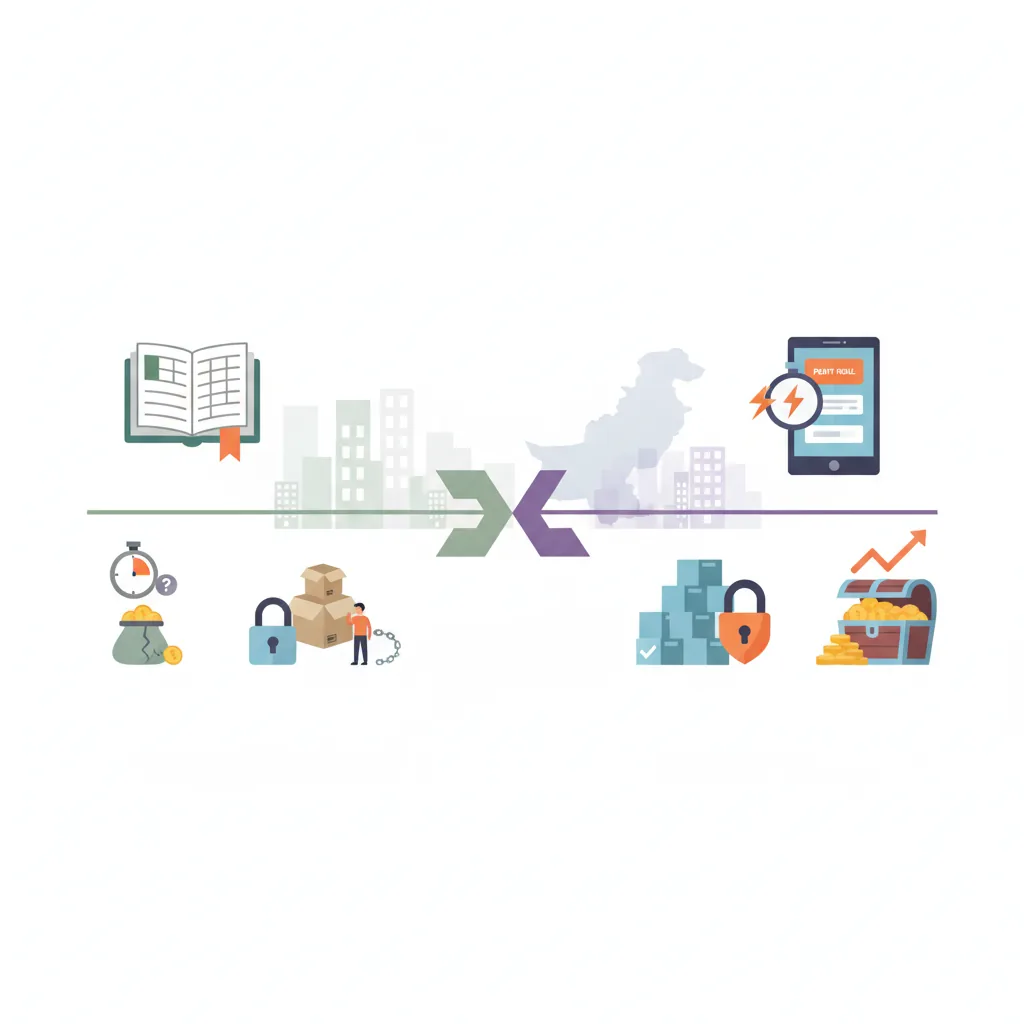
The core mistake many business owners make is viewing Excel and POS software as two versions of the same thing. They are fundamentally different tools designed for completely different jobs:
- Microsoft Excel (and Google Sheets): A calculation, tabulation, and financial modeling tool. It records what you manually type into it and calculates whatever formulas you write. It operates as a historical record—a rear-view mirror reflecting data someone entered after the fact.
- Point of Sale (POS) Software: An operational execution engine. It captures transactions at the exact second money changes hands at the counter. When a cashier scans an item, the POS issues the customer invoice, updates financial ledgers, adjusts warehouse stock, and logs cashier activity in a single, automated step.
A spreadsheet tells you what happened yesterday (provided someone remembered to type in the figures). A POS platform controls what happens right now at your counter.
Head-to-Head Comparison: Excel vs. POS Software
To see how both approaches hold up in daily Pakistani trading environments, let us evaluate them across the five operational pillars that dictate retail profitability.
1. Counter Speed and Billing Efficiency
During peak shopping hours—such as weekend evenings or pre-Eid rushes—billing speed directly dictates your revenue. If customers face long queues, abandoned baskets increase.
- On Excel: Checkout is completely disconnected from your record. Cashiers either write a manual paper slip (parchi) or type item names into a spreadsheet cell by cell. Searching through thousands of rows to find the right SKU or price takes 20 to 45 seconds per item. Invoices must be printed manually, and barcode scanners cannot trigger automated line-item subtotals seamlessly.
- On POS Software: Scanning a barcode takes less than a second. The item name, retail price, applicable discounts, and taxes load instantly. A standard 5-item transaction is completed and printed on a thermal receipt in under 15 seconds.
2. Inventory Accuracy and Stock Drift
Inventory shrinkage is one of the most persistent drains on retail margins in Pakistan. Stock discrepancies occur either through honest human error, breakage, or internal pilferage.
- On Excel: Inventory updates are retroactive. When an item sells at 3:00 PM, your spreadsheet does not reflect that sale until the evening ledger entry is completed. If two cashiers sell the same high-demand item, or if someone forgets to log a returned shirt or medicine carton, your stock count permanently drifts. You only discover you are out of stock when a customer asks for an item and finds the shelf bare.
- On POS Software: Inventory operates in real time. The moment an item is scanned at the till, stock levels decrease across your central database. Systems equipped with smart low-stock notifications immediately alert managers when fast-moving items cross minimum reorder thresholds, preventing stockouts before they occur.
3. Staff Accountability and Anti-Theft Security
When you operate a single store where you personally handle every rupee at the till, you can supervise everything. But the moment you hire counter staff or cashiers, system security becomes vital.
- On Excel: Spreadsheets provide zero audit trail. Any staff member with edit access can alter a formula, change a selling price, or delete a sales row to conceal cash shortages. There is no reliable way to trace which employee processed a specific sale, issued a discount, or approved a return.
- On POS Software: Role-based access control protects your revenue. Cashiers log in with unique credentials. They can scan items and receive payment, but they cannot delete invoices, edit base product costs, or issue arbitrary discounts without managerial authorization. Every void, price adjustment, and refund leaves a permanent, time-stamped digital footprint.
4. Multi-Branch and Remote Visibility
Managing multiple locations—such as a main branch in Gulberg and a secondary outlet in DHA—exposes the absolute breaking point of desktop spreadsheets.
- On Excel: File sharing creates version chaos. Staff email workbooks back and forth, producing duplicate filenames like Store_Stock_Oct2026_Final_v2.xlsx. If two branches edit the master file simultaneously, changes overwrite one another. Owners cannot check current cash balances or branch sales without requesting an export from an on-site manager.
- On POS Software: Modern multi-store systems synchronize branch data to a central cloud dashboard. Whether you are traveling or sitting at home, you can view real-time sales, monitor inter-branch stock transfers, and evaluate staff performance across all outlets from your phone or tablet.
5. End-of-Day Closing and Financial Reporting
At the end of a long 12-hour retail day, the last thing any shop owner wants is hours of manual bookkeeping.
- On Excel: Balancing the cash drawer requires sorting paper slips, counting notes, summing columns, and debugging accidental formula errors (like an accidental
#VALUE!or broken VLOOKUP). Preparing monthly profit-and-loss statements can consume entire weekends. - On POS Software: End-of-day shift closing takes minutes. The system tallies cash, debit card swipes, and mobile wallet payments against system-recorded sales. Discrepancies between expected cash and physical cash are highlighted instantly. Comprehensive daily sales reports and item-wise margin breakdowns generate with a single click.
Comparison Matrix: POS Software vs Excel at a Glance
Here is how both options stack up side by side for a typical commercial setup in Pakistan:
- Setup & Licensing Cost: Excel is virtually free or low-cost; POS software requires a modest monthly subscription or software fee.
- Counter Checkout Speed: Excel is slow and manual (30–60+ seconds per customer); POS is rapid and automated (5–15 seconds with barcodes).
- Inventory Tracking: Excel is manual and delayed; POS provides automated, real-time deduction per sale.
- Employee Access Controls: Excel offers none (open spreadsheets risk accidental or intentional overwriting); POS offers strict user roles and permission levels.
- Audit Trails: Excel has no transaction-level audit logs; POS records every cashier keystroke, discount, and return.
- Hardware Connectivity: Excel does not natively drive barcode scanners, customer pole displays, or thermal receipt printers; POS integrates out of the box.
- Offline Resilience: Excel works offline on local PCs but fails to sync multi-counter data; hybrid POS platforms record sales offline and sync automatically when internet restores.
The 6-Point Readiness Checklist: Is It Time to Retire Your Spreadsheets?
If you are wondering whether your business has outgrown its current spreadsheet setup, review this checklist. If you answer "Yes" to three or more points, continuing on Excel is likely costing you more in lost margin, customer friction, and labor than a POS subscription would cost.
- Evening bookkeeping takes more than 45 minutes: You or your store manager spend your evenings transcribing handwritten day-sheets into a workbook instead of focusing on supplier sourcing or business growth.
- Cash drawer mismatches occur weekly: The physical cash in your till regularly disagrees with the recorded sales figures, and you have no clear record to determine which shift caused the shortfall.
- Customers wait in queues while staff verify prices: Cashiers frequently shout across the shop or open reference files to check the price of unlabelled garments, mobile accessories, or hardware items.
- You experience unexpected stockouts on core items: You discover essential fast-selling products are completely sold out only after a customer asks for them.
- You employ staff who are not close family: You need to delegate counter billing and cash collection to salaried employees but lack a locked-down system to prevent unauthorized discounts or unrecorded cash pocketing.
- You cannot determine your real-time daily net profit: While you know your gross daily sales, calculating your actual net profit after cost of goods sold (COGS) and operational overhead requires complex manual calculations.
Who Each Option Truly Suits
To keep this comparison completely objective, remember that specialized software is not mandatory for every single venture.
When Microsoft Excel Remains the Sensible Choice:
- Pre-launch businesses and pop-ups: If you are testing a product concept at a weekend exhibition or temporary stall.
- Very low transaction volume: Businesses handling fewer than 5 to 10 high-ticket, customized orders per day (such as custom interior design fabrication or freelance consultancies) where every order requires custom quotations.
- High-level financial forecasting: Even large retail chains keep Excel in their executive offices for multi-year cash flow modeling, budgeting, and ad-hoc data analysis using exported POS data.
When POS Software Is Essential:
- High-volume retail stores: Grocery marts, bakeries, pharmacies, garment boutiques, cosmetics shops, and electronics stores handling dozens or hundreds of daily walk-ins.
- Businesses with fast-moving inventory: Any operation tracking hundreds or thousands of unique SKUs, serial numbers, or sizes where manual stock counts are physically impossible on a daily basis.
- Multi-branch retailers: Owners operating two or more outlets who require consolidated reporting, automated godown-to-branch transfers, and remote performance oversight.
- Stores with multi-shift staffing: Outlets running morning and evening shifts that require distinct register handovers and individual cashier accountability.
How CloudPOS Helps Pakistani Businesses Make the Leap
Making the switch from familiar spreadsheets to automated retail software does not have to be disruptive or expensive. CloudPOS is designed specifically around the daily realities faced by Pakistani retail, wholesale, and service businesses.
Rather than wrestling with disjointed spreadsheets, CloudPOS unifies your operations within a single, secure cloud platform:
- Effortless Data Migration: You do not need to enter your inventory one item at a time. CloudPOS allows you to import your existing product catalogs, prices, and barcodes directly from your current Excel sheets in bulk, getting your digital counter up and running within hours.
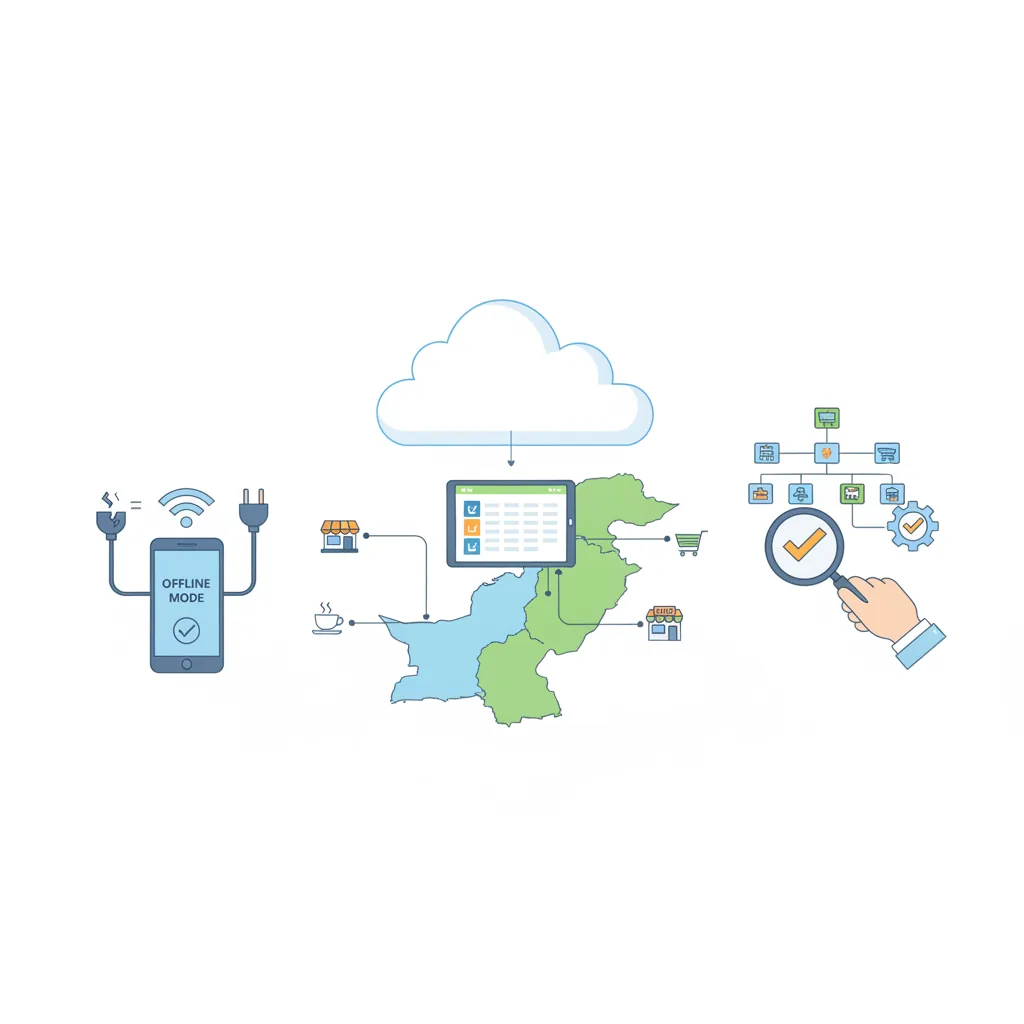
- Continuous Offline Billing: Internet downtime or fiber cuts will not stall your checkout lines. CloudPOS functions smoothly online and offline. Your staff can continue scanning items and printing receipts without internet; as soon as the connection stabilizes, your sales data syncs automatically to the cloud database.
- Smart Inventory & Low-Stock Alerts: Stock levels adjust automatically with every customer invoice. Automated alerts notify you the moment warehouse or shelf stock hits your defined minimums, eliminating surprise shortages.
- Cashier Security & Permissions: Protect your profit margins with granular role-based access. Restrict unauthorized discounts, prevent manual price editing at the counter, and track shift-by-shift cash reconciliation effortlessly.
- Live Oversight from Anywhere: Check branch sales, monitor gross margins, and audit daily cash collections directly from your smartphone via dedicated mobile apps, whether you are across town or out of the country.
- Comprehensive Growth Modules: As your business expands, access built-in tools for customer loyalty tracking, employee attendance and sales commissions, multi-store stock transfers, and complete compliance-ready invoicing for provincial authorities and the Federal Board of Revenue (FBR).
Moving from Spreadsheets to Scalable Growth
Spreadsheets are an exceptional starting point for any new enterprise. They teach you the mechanics of your numbers and cost nothing to boot up. But running a busy, growing retail store on Excel is like trying to distribute commercial freight on a bicycle: it works for a few packages, but eventually, the weight causes the operation to stall.
The time you spend updating formulas, searching for inventory leaks, and fixing spreadsheet errors is time stolen from marketing your store, negotiating better supplier terms, and opening new locations. Modern point of sale software is no longer an expensive luxury reserved for corporate hypermarkets—it is the operational baseline required to run an efficient, profitable, and secure retail business.
Ready to replace manual spreadsheet entry with seamless, fast barcode billing and real-time inventory control? Book a free CloudPOS demo today and see how easily you can import your existing stock sheets into a modern retail engine.