Best Free POS Software: How Systems Work and What Retailers Must Know
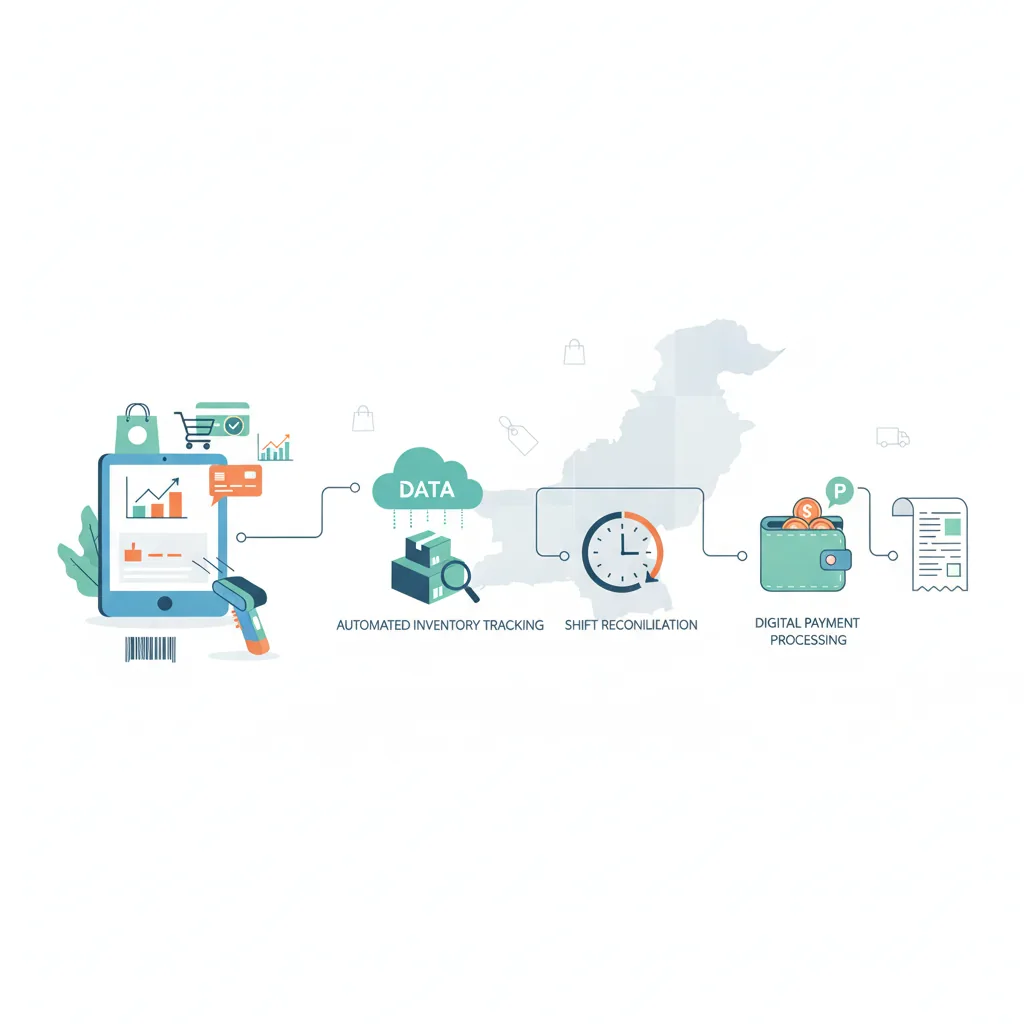
Searching for the best free POS software? This comprehensive guide explains how POS machines actually work—from billing and digital payment processing to automated inventory tracking and shift reconciliation—and highlights the critical features Pakistani retailers need before choosing a system.
In this article
- How POS Systems and Machines Actually Work
- 1. Billing and Fast Checkout Management
- 2. Payment Processing and Transaction Reconciliation
- 3. Real-Time Inventory Updates
- 4. Sales Tracking, Analytics, and Daily Closing
- 5. The Reality of Free POS Software: Hidden Catches to Consider
- Checklist: What to Test Before Choosing Any POS Software
- How CloudPOS Helps Growing Retailers
- Choosing the Best Free POS Software for Your Store's Future
When opening a new grocery store, clothing boutique, pharmacy, or café in Pakistan, managing startup capital is often the top priority. It is completely natural that one of the first search terms an entrepreneur types into a browser is best free POS software. The promise of eliminating monthly overheads while digitizing the checkout counter sounds like an immediate commercial victory.
Yet running a retail or service counter involves far more than calculating change on a screen. Every transaction tests the backbone of your store: does the system deduct stock instantly, does it reconcile card and cash payments accurately, and will it keep printing receipts when the internet drops during peak shopping hours? To evaluate whether a free tool or a dedicated platform fits your shop, it helps to understand how modern POS machines actually operate under the hood.
How POS Systems and Machines Actually Work
A Point of Sale (POS) system is the central nerve center where customer orders, inventory movements, staff actions, and incoming revenue intersect. Historically, checkout relied on mechanical cash registers and handwritten paper ledgers. Today, a modern POS functions through three interconnected layers:
- The Hardware Interface: The physical terminal (a desktop PC, touch screen monitor, tablet, or smartphone) paired with essential peripherals: a thermal receipt printer, a barcode scanner, an electronic cash drawer, and a payment terminal or QR display.
- The Application Logic: The software running on the terminal that processes prices, applies tax brackets, calculates discounts, checks inventory levels, and formats invoices.
- The Database & Synchronization Engine: A local cache and cloud-hosted database that stores product catalogs, customer purchase histories, and transaction ledgers. Whenever a transaction concludes, the database records the sale and updates storewide metrics.
When these layers work in harmony, daily store operations transform from chaotic manual bookkeeping into a seamless, automated workflow.
1. Billing and Fast Checkout Management
At the heart of every retail counter is the billing workflow. During busy evening hours, speed and accuracy determine customer satisfaction. A capable POS handles multiple billing tasks in a fraction of a second:
When an item passes over the barcode scanner, the POS decodes the universal product code (UPC or EAN), matches it against the product catalog, and pulls up the item name, variant (such as size or color), and unit price. For items without pre-printed barcodes—such as loose bakery goods, fresh produce, or custom garments—the cashier can search by SKU or tap touch-screen quick keys.
Beyond simple line items, the software handles transaction-level variables without human math errors:
- Automated Discounts: Applying percentage or flat promotional discounts, bundle pricing, or customer-specific loyalty rates.
- Item Adjustments & Returns: Managing customer exchanges or returns with proper credit notes, ensuring that returned merchandise gets re-added to inventory rather than lost to register shrinkage.
- Instant Receipt Generation: Sending formatted commands to 58mm or 80mm thermal printers to deliver itemized receipts, return policies, and clear sales summaries.
2. Payment Processing and Transaction Reconciliation
Payment habits across Pakistan have shifted rapidly. According to data from the State Bank of Pakistan's Payment Systems Reviews, digital channels and mobile app transactions continue to grow at record volumes, with digital transactions accounting for over 90% of formal retail payment volumes. A modern POS must support flexible tender options without slowing down the queue.
A complete transaction management module enables the cashier to select:
- Cash Tender: The cashier inputs the cash received, and the system instantly calculates the exact change due while firing an electric pulse to open the cash drawer.
- Debit & Credit Cards: The POS logs card transactions separately from physical cash, allowing the store manager to reconcile card slips with bank settlement batches at day's end.
- Digital Wallets and QR Payments: Supporting instant Raast P2M, mobile wallets, or direct bank transfers without requiring messy manual notes.
- Split Payments: Allowing a customer to pay part of a bill in cash and the remainder via card or digital wallet.
By categorizing payments by tender type, the system prevents discrepancies between what is in the physical drawer and what the software reports.
3. Real-Time Inventory Updates
The single biggest operational failure of basic spreadsheets or paper registers is disconnected stock control. In an efficient POS setup, every completed invoice triggers an automated inventory adjustment.
When three bottles of shampoo or five meters of fabric are billed, the system deducts those exact quantities from the central database in real time. This immediate deduction solves three critical operational headaches:
- Eliminating Accidental Overselling: Staff know instantly whether an item is on the shelf, in the backroom, or out of stock.
- Low-Stock Awareness: Rather than waiting for an empty shelf on a busy Saturday, managers receive automated alerts when an item breaches its designated reorder point.
- Shrinkage Detection: During physical inventory audits, managers can match physical counts against software logs to pinpoint stock leaks, damaged goods, or unauthorized removals.
4. Sales Tracking, Analytics, and Daily Closing
At the end of a long retail day, shop owners need clarity: How much did we sell? What was our net profit? Is the cash drawer balanced? A professional POS replaces late-night calculator math with automated sales tracking.
With a single click, the POS produces a daily closing summary (often called an End-of-Day or Z-Report). It breaks down total gross sales, refunds, net turnover, discounts surrendered, and tender-wise collection totals. The cashier counts the physical cash in the drawer, enters the total, and the software flags any surplus or deficit immediately.
Over weeks and months, these transaction logs aggregate into valuable business intelligence:
- Fast-Moving vs. Dead Stock: Pinpointing which items generate your highest turnover and which tie up working capital on dusty shelves.
- Peak Operating Hours: Showing exactly when your store experiences customer surges, helping you optimize staff scheduling.
- Margin Analysis: Calculating actual gross margins based on landed purchase costs rather than guesswork.
5. The Reality of Free POS Software: Hidden Catches to Consider
When searching for the best free POS software, business owners frequently discover that "free" comes with severe operational compromises. Software vendors must cover hosting, database maintenance, and continuous development costs. When a tool is advertised as zero-cost, it usually falls into one of several categories:
"Free software that restricts your product count or locks your counter during an internet outage can quickly cost more in lost sales and operational confusion than a purpose-built commercial tool."
- Feature Walls and SKU Caps: Many free tiers allow only 50 to 100 products or cap transactions at a modest monthly volume. Once your inventory grows, you are forced onto an expensive tier.
- No Multi-Store Support: Free tools almost exclusively support a single register on a single device. If you open a second counter or a second branch, your records become instantly fragmented.
- Online-Only Lockout: Many international free apps require persistent, high-speed internet. If your local broadband cuts out or load shedding resets your router, your billing counter freezes entirely.
- Zero Local Support: If a free app encounters a database glitch during a busy weekend rush, there is no technical support desk or phone line to assist you. You are left troubleshooting forum threads while customers wait in line.
Checklist: What to Test Before Choosing Any POS Software
Before deploying any system—free or paid—on your sales counter, test these essential capabilities during an evaluation or software trial:
- [ ] Offline Continuity: Disconnect your Wi-Fi router while ringing up a sale. Does the software keep scanning, billing, and printing receipts without crashing?
- [ ] Speed of Barcode Scanning: Scan 10 items in rapid succession. Does the screen update instantaneously without lag?
- [ ] User Role Permissions: Can you restrict cashiers from deleting invoices, offering unauthorized manual discounts, or viewing storewide net profit reports?
- [ ] Hardware Compatibility: Does the software communicate effortlessly with standard USB, Ethernet, or Bluetooth ESC/POS thermal printers and cash drawers?
- [ ] Comprehensive Inventory Controls: Can you set minimum safety stock levels, track product variants, and receive low-stock alerts?
- [ ] Multi-Store Growth Readiness: Can the platform expand from one sales terminal to multiple counters and branches under a centralized management dashboard?
How CloudPOS Helps Growing Retailers
For retailers looking for the ideal balance between accessibility, power, and local reliability, CloudPOS offers an enterprise-grade cloud POS and AI-powered ERP platform engineered specifically for the demands of businesses across Pakistan.
Rather than wrestling with the limitations of generic free software, CloudPOS provides a robust operating foundation with proven local strengths:
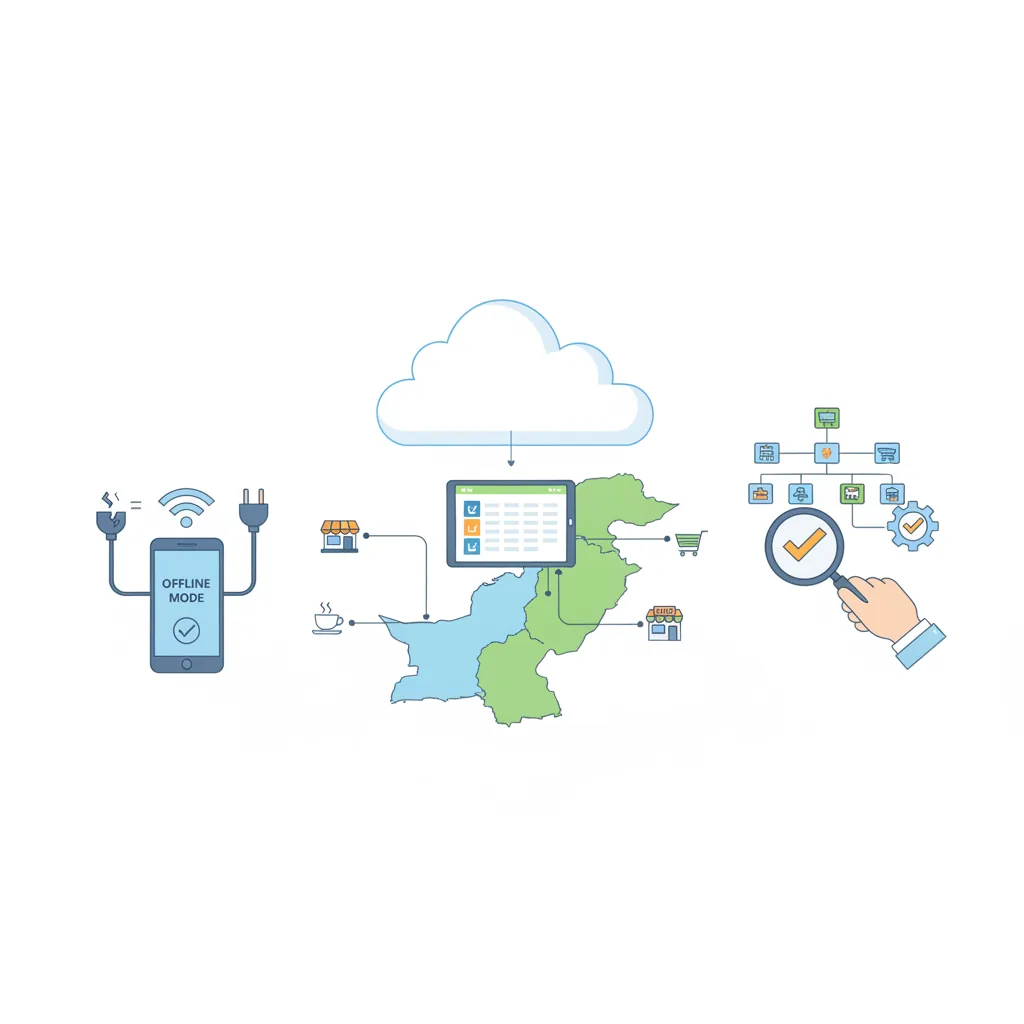
- Hybrid Online and Offline Billing: Internet instability and power fluctuations will never stop your cash counter. CloudPOS keeps billing and generating receipts completely offline; the moment your connection restores, all transaction data syncs seamlessly to the secure cloud.
- Intelligent Stock Management: Maintain pinpoint accuracy across thousands of SKUs. Set automated low-stock alerts, track purchase orders, and monitor batch details effortlessly. Specialized setups like IMEI tracking are built right in for mobile and electronics retailers.
- Multi-Branch Command: Oversee one shop or dozens of branches from a single unified account. View live sales, transfer stock between locations, and consolidate company-wide performance in real time.
- Staff Accountability & Access Controls: Protect your bottom line with role-based user permissions. Track cashier shifts, monitor sales by staff member, and prevent unauthorized discounts or register voids.
- Anywhere Mobility & Deep Analytics: Access detailed sales reports and business metrics from desktop, tablet, or mobile phone through dedicated mobile apps, giving business owners total operational visibility on the go.
- Compliance and Ecosystem Ready: Enjoy seamless digital invoicing and tax-compliant billing, alongside ready integrations for eCommerce storefronts and local payment workflows.
Choosing the Best Free POS Software for Your Store's Future
The search for the best free POS software is a healthy starting point—it forces business owners to identify what really matters at the checkout counter. But as your business welcomes more foot traffic, stocks larger catalogs, and employs more staff, your POS system must do far more than add numbers together. It must protect your stock, secure your cash flow, and deliver trustworthy operational data every single day.
Ready to experience a reliable, lightning-fast point of sale built to scale your business? Book a free CloudPOS demo today and see how effortless store management can be.
Related reading: How to choose the right POS software · Choosing the best POS software in Pakistan · CloudPOS pricing