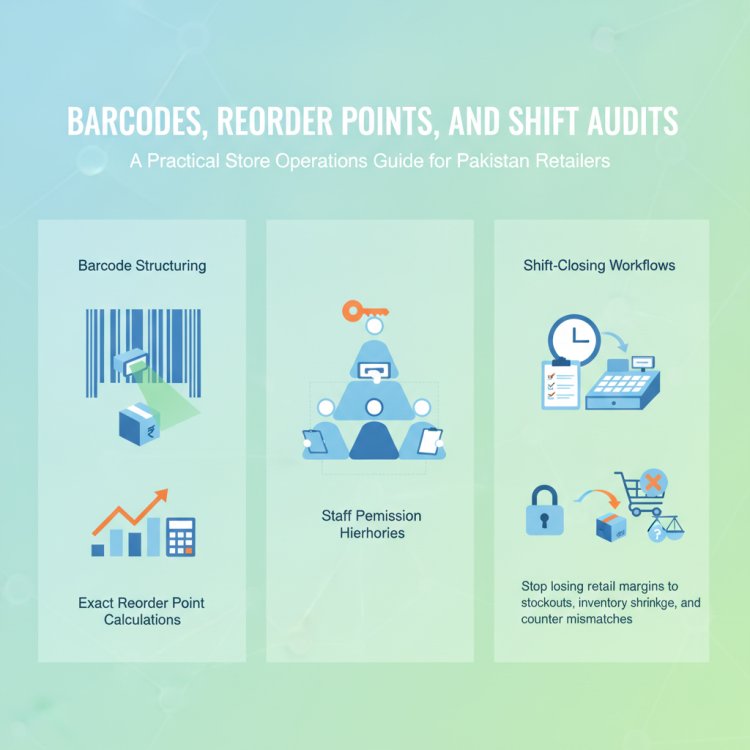
Practical Inventory Control Methods for Pakistani Retailers: How to Avoid Stockouts and Overstocks with POS Software
Pakistani retailers face daily challenges managing inventory. This article shares practical, actionable inventory control methods—like setting reorder points and using barcodes—tailored for local shop owners, with tips on how POS software can help avoid costly mistakes.
In this article
- Why Inventory Control Matters for Pakistani Businesses
- 5 Practical Inventory Control Methods Every Shop Owner Should Know
- Quick Checklist: Is Your Inventory Under Control?
- How to Set Up Reorder Points That Actually Work
- Barcode Setup: A Step-by-Step Guide for Small Businesses
- Managing Inventory Across Multiple Branches
- How CloudPOS Helps Pakistani Businesses Control Inventory
- Conclusion
Running a shop or retail business in Pakistan means balancing the fine line between having enough stock for customers and not tying up your cash in unsold goods. Stockouts can lose you loyal buyers, while overstocks eat into your profits and shelf space. With rising costs and changing customer habits, smart inventory control isn’t just a “nice to have”—it’s essential for survival and growth.
Why Inventory Control Matters for Pakistani Businesses
Inventory mistakes cost real money. According to a recent report by Dawn, inefficient inventory management is a leading cause of business failure in Pakistan’s retail sector. For small and medium businesses, even a few wrong orders can mean the difference between profit and loss.
Beyond the financials, Pakistan’s regulatory environment is evolving. With the FBR’s push for digital invoicing and real-time sales reporting, manual stock records are becoming risky. Digital, accurate inventory control is now a necessity for compliance as well as efficiency.
5 Practical Inventory Control Methods Every Shop Owner Should Know
Here are proven techniques you can start using today—whether you run a grocery store, pharmacy, garments shop, or restaurant:
-
Set Reorder Points for Each Product
Don’t wait until shelves are empty to restock. Calculate a reorder point for each item: the stock level at which you should place a new order. This is based on average sales and supplier delivery times.
Example: If you sell 10 packs of tea daily and your supplier takes 5 days to deliver, set your reorder point at 50 packs (10 x 5). -
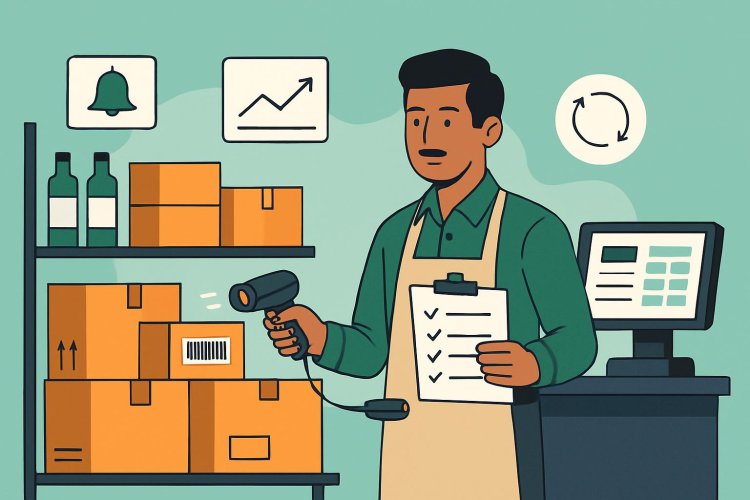
Use Barcode Scanning for Accuracy
Manual stock counts are slow and error-prone. Barcodes speed up sales, returns, and stocktaking—reducing mistakes and saving hours each week. Most POS systems support barcode printing and scanning, even for small shops. -
Schedule Regular Stock Counts
Don’t wait for year-end audits. Do a quick weekly or monthly cycle count of your top-selling or high-value items. This catches theft, spoilage, or misplacement early, before it becomes a bigger problem. -
Track Expiry Dates (for Pharmacies & Grocers)
Expired goods can mean heavy losses and legal trouble. Use your POS to record expiry dates and set alerts for soon-to-expire products. Rotate stock so older items sell first (FIFO: First-In, First-Out). -
Monitor Multi-Branch Stock Transfers
If you have more than one location, keep a digital record of stock moving between branches. This prevents “lost” inventory and helps you balance stock according to each branch’s sales trends.
Quick Checklist: Is Your Inventory Under Control?
- Do you know your current stock levels for each product, right now?
- Are you alerted automatically when it’s time to reorder?
- Can you track who made each sale, return, or stock adjustment?
- Are you FBR-compliant with your digital invoicing and stock records?
- Can you transfer stock between branches without confusion?
- Is it easy to see which items are your best- and worst-sellers?
- Do you have a backup if your internet goes down?
If you answered “no” to any of these, it might be time to upgrade your inventory management approach.
How to Set Up Reorder Points That Actually Work
Many shop owners set reorder points once and forget about them. But as seasons, trends, and suppliers change, so should your reorder levels. Here’s a simple process:
- Check your average daily sales for each item over the last 1-3 months.
- Note your supplier’s average delivery time (in days).
- Multiply sales per day by delivery days to get your basic reorder point.
- Add a “safety stock” buffer for unexpected demand or supplier delays (usually 10-20%).
- Review and adjust monthly, especially for fast-moving or seasonal items.
Modern POS software can automate this calculation and alert you when it’s time to reorder, so you never miss a sale due to stockouts.
Barcode Setup: A Step-by-Step Guide for Small Businesses
Barcodes aren’t just for supermarkets. Even a small garments shop or pharmacy can benefit. Here’s how to get started:
- Choose a POS system that supports barcode printing and scanning.
- Assign a unique barcode to each product (your POS can generate these).
- Print barcodes using a compatible barcode printer, or use pre-printed labels.
- Stick the barcode labels on your products or shelves.
- Train your staff to scan items at checkout and during stock counts.
- Regularly audit to ensure all items are labeled and scanning correctly.
This not only speeds up billing but also helps you track inventory movements and reduce shrinkage.
Managing Inventory Across Multiple Branches
Expanding to more than one location is a big step—but it comes with new challenges. Common problems include overstocking one branch while another runs out, or losing track of stock during transfers.
To manage this smoothly:
- Use a cloud-based POS system so all branches update inventory in real time.
- Centralize purchasing and transfer stock digitally between locations.
- Set branch-specific reorder points based on local sales data.
- Monitor transfers and adjustments with staff permissions and audit trails.
This gives you a clear, up-to-date picture of your entire business—no matter where you are.
How CloudPOS Helps Pakistani Businesses Control Inventory
CloudPOS is designed for Pakistani retailers, wholesalers, and service businesses who want to take control of their inventory—without complicated setups or expensive hardware.
- Real-time Inventory Management: Track stock levels, sales, and transfers across all branches from one account.
- Smart Low-Stock Alerts: Set reorder points and get notified before you run out, based on your actual sales data.
- Barcode Scanning: Print and scan barcodes for fast, accurate billing and stocktaking—even for small businesses.
- Multi-Store Management: Move stock between branches, monitor transfers, and set branch-specific rules.
- FBR-Integrated Billing: Stay fully compliant with Pakistan’s digital invoicing and tax requirements.
- Works Online and Offline: Keep selling even if your internet drops—data syncs automatically when you’re back online.
- Secure Cloud System: Your data is backed up and protected with encryption, two-factor authentication, and IP allowlisting.
Whether you’re running a single shop or scaling to multiple locations, CloudPOS gives you the tools to avoid costly inventory mistakes and focus on growing your business.
Conclusion
Inventory control isn’t just about counting products—it’s about making smarter decisions, saving money, and keeping your customers happy. By setting up reorder points, using barcodes, and tracking stock digitally, you can avoid the most common pitfalls faced by Pakistani retailers. The right POS software makes this easier and helps you stay compliant as regulations evolve.
Ready to see how modern inventory control can transform your business? Book a free CloudPOS demo today and discover how simple, powerful inventory management can be.