
Barcodes, Reorder Points, and Shift Audits: A Practical Store Operations Guide for Pakistani Retailers
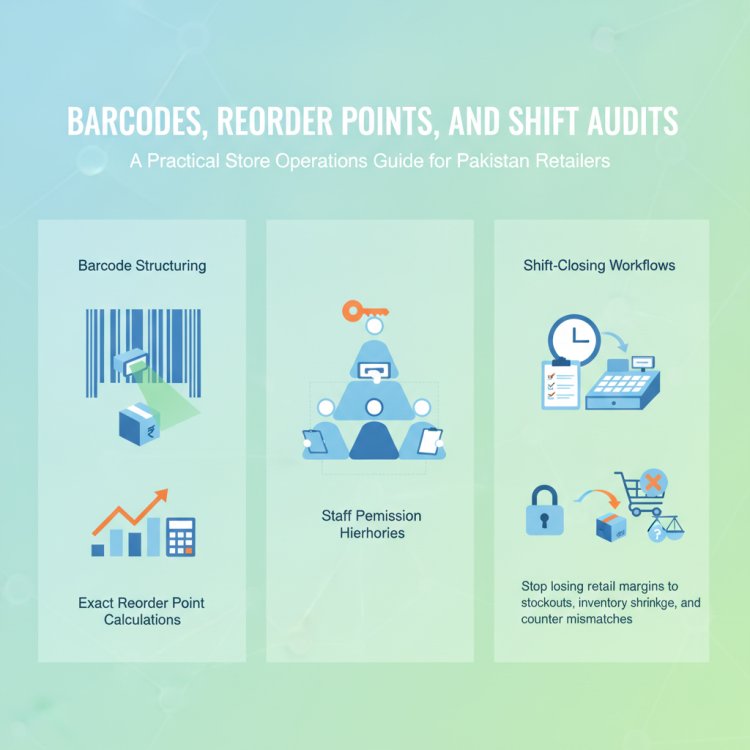
Stop losing retail margins to stockouts, inventory shrinkage, and counter mismatches. This practical operations guide covers barcode structuring, exact reorder point calculations for Pakistani supply chains, staff permission hierarchies, and shift-closing workflows.
In this article
- 1. Building a Bulletproof Barcode and SKU Structure
- 2. Calculating Reorder Points That Account for Local Supply Realities
- The Practical Reorder Formula
- 3. Staff Permissions and the "Blind Closing" Shift Handover
- Enforcing the Principle of Least Privilege
- The Shift Closing Checklist
- 4. The 15-Minute Daily Cycle Count
- 5. Reading Sales and Operations Reports for Hidden Profit Leaks
- How CloudPOS Helps Streamline Store Operations
- Moving from Store Chaos to Operational Discipline
If you ask most shop owners in Lahore, Karachi, or Rawalpindi why their net profit fell short at the end of the quarter, the conversation usually turns to rising electricity tariffs, commercial rents, or supplier price hikes. While overheads certainly squeeze margins, an equally damaging drain is far quieter: disorganised backrooms, stockouts on your fastest-selling items, unrecorded stock damage, and undocumented cash drawer mismatches.
When an employee relies on a visual glance across the godown to decide what to order, your working capital ends up tied up in slow-moving cartons while your bestsellers run dry. When two cashiers swap shifts without a structured count, inventory shrinkage blends seamlessly into day-to-day operations. Running a modern, profitable shop requires replacing guesswork with five practical operational disciplines: clean barcode architecture, data-backed reorder points, strict staff permissions, daily cycle counts, and purposeful sales reporting.
1. Building a Bulletproof Barcode and SKU Structure
Fast-moving retail checkouts collapse the moment a cashier has to search for items manually or guess prices from a faded handwritten tag. Barcode scanning eliminates human error at the cash counter, but you need an organised system before you print your first label.
In Pakistani retail, products generally fall into two categories:
- Standard Branded Goods: FMCG items, packaged foods, and multinational cosmetics already carry universal EAN-13 barcodes printed on their packaging. For these, you do not need to generate new codes—simply scan the existing manufacturer barcode into your system when creating the product record.
- Loose, Custom, or White-Label Goods: Apparel, loose grains, bakery items, spare parts, and custom jewellery require internal Stock Keeping Units (SKUs) and custom barcode labels. Unless you distribute goods to third-party hypermarkets that require formal registry with organisations like GS1 Pakistan, your retail point of sale can generate internal Code-128 or EAN-format barcodes that you print using an affordable thermal barcode printer.
To avoid catalog confusion as you expand, structure your internal SKUs with a consistent naming convention that indicates department, product type, and variant:
Format: [Category]-[Subcategory]-[Variant]-[Size/Color]
Example (Garments):MN-KRT-COT-XL(Men > Kurta > Cotton > Extra Large)
Example (Pharmacy/General):BABY-DPR-SZ3-PK48(Baby > Diapers > Size 3 > Pack of 48)
Stick to uppercase letters and hyphens. Avoid spaces or special characters that confuse barcode scanners. Once programmed, paste shelf tags on rack edges and label every loose item before it moves from your godown to the sales floor.
2. Calculating Reorder Points That Account for Local Supply Realities
A stockout does not just cost you a single sale; it sends your loyal customer directly to the shop across the street. Conversely, overstocking ties up valuable cash that could be used to purchase higher-margin inventory. The solution is establishing a fixed Reorder Point (ROP) for every critical SKU.
In Pakistan, local supply chains are prone to friction. Whether you source goods from Shah Alam Market in Lahore, Bolton Market in Karachi, or local wholesale distributors in your district, deliveries frequently face transit delays, transporter strikes, or distributor stock delays. Your inventory math must absorb these shocks.
The Practical Reorder Formula
The standard formula for setting your reorder trigger is:
Reorder Point (ROP) = (Average Daily Unit Sales × Lead Time in Days) + Safety Stock
Let us walk through a practical example for a high-turnover item, such as a 5-kg brand of basmati rice or a popular shade of lipstick:
- Calculate Average Daily Sales: Review your sales over the last 30 days. If you sold 150 units in 30 days, your average daily sales figure is 5 units/day.
- Determine Supplier Lead Time: How long does it take from placing the purchase order via phone or WhatsApp until the goods arrive at your doorstep? If your supplier typically delivers in 4 days, your baseline demand during lead time is
5 × 4 = 20 units. - Add Safety Stock (Buffer): What happens if the supplier takes 3 extra days due to a long weekend or freight delay? To guard against a stockout, maintain a buffer. If you want 4 days of emergency buffer, your safety stock is
5 units × 4 days = 20 units. - Calculate ROP:
20 units (lead demand) + 20 units (safety stock) = 40 units.
The moment your shelf and godown inventory drops to 40 units, your team must immediately issue a purchase order. You never wait until the shelf has only 2 or 3 items left to call your distributor.
3. Staff Permissions and the "Blind Closing" Shift Handover
Internal shrinkage and unrecorded register shortfalls are rarely solved by adding more CCTV cameras. Instead, they are solved through granular software permissions and structured handover procedures between shifts.
Enforcing the Principle of Least Privilege
Never run your checkout counter on a master "admin" account shared by all employees. Every staff member must log in with an individual account that restricts access according to their responsibilities:
- Cashiers: Allowed to scan barcodes, select payment methods, and print receipts. Blocked from editing product purchase prices, applying arbitrary manual discounts, viewing total store profitability, deleting completed bills, or voiding transactions without supervisory approval.
- Shift Supervisors: Allowed to approve returns, process exchanges, and verify inventory receipts.
- Store Owners / Partners: Unrestricted access to supplier ledgers, profit-and-loss reports, cost prices, and configuration settings.
The Shift Closing Checklist
When shifts change at mid-day or night, implement a blind closing routine. The outgoing cashier should count the physical cash, credit card payment slips, and mobile wallet transaction receipts and input the numbers into the register before the system reveals the expected sales totals. This eliminates the temptation to adjust figures to match the computer.
- Drawer Float Separation: Remove the opening base float (e.g., Rs. 5,000 for daily change) before calculating net shift revenue.
- Physical Tally: Count and bundle notes by denomination, separate POS card settlement slips, and record any direct digital wallet transfers.
- Enter Blind Totals: Cashier inputs the physical count into the closing screen without viewing expected totals.
- Generate Variance Report: The system compares physical input against recorded sales. Any discrepancy (over or short) of more than a nominal amount (such as Rs. 50–100) requires a supervisor's written note.
- Sign-Off: Both the outgoing cashier and the incoming cashier (or store manager) sign the printed shift settlement slip.
4. The 15-Minute Daily Cycle Count
Shutting your store for two entire days once a year to perform a manual inventory audit is disruptive, expensive, and largely ineffective. By the time you notice an item went missing eight months ago, it is impossible to trace whether it was damaged, stolen, or mistyped during an inward delivery.
Modern store operations rely on cycle counting—a rolling daily check of 10 to 15 specific items that takes no more than 15 minutes before opening or after closing.
Use the following operational cycle count checklist each week:
- Monday (High-Value Items): Count expensive perfumes, premium electronics, or branded cosmetics.
- Tuesday (Fast-Moving Essentials): Count top cooking oils, rice, staple spices, or volume consumables.
- Wednesday (Fragile & Perishables): Verify bakery items, glassware, or dairy products for unrecorded damages.
- Thursday (High-Variance Categories): Audit items with frequent open customer returns, such as unstitched fabrics or footwear.
- Friday (Godown Transit Stock): Reconcile inward goods received from suppliers against delivery challans.
- Saturday/Sunday: Focus purely on customer floor operations during peak footfall.
5. Reading Sales and Operations Reports for Hidden Profit Leaks
Collecting data at checkout is meaningless unless you translate it into operational decisions. At the end of each week, shop managers should look beyond the headline revenue figure and analyze three operational reports:
- Dead Stock & Aging Inventory: Filter your catalog for SKUs that have seen zero transactions in the last 45 to 60 days. These items represent frozen cash. Consider bundling them, running promotional markdowns, or returning them to suppliers for credit before they expire or become unsellable.
- Discount and Void Summary: Review which employees applied the most manual discounts or voided the highest number of scanned items. A spike in canceled items after the customer has walked away can indicate cash being pocketed.
- Gross Margin by Category: A product category generating 40% of your sales volume might only be delivering 8% of your gross profit after supplier price adjustments. Knowing your actual margin allows you to reallocate shelf space to products that genuinely drive earnings.
How CloudPOS Helps Streamline Store Operations
CloudPOS is designed specifically to simplify everyday retail and wholesale workflows for Pakistani businesses across groceries, pharmacies, garment boutiques, electronics, and general retail. Instead of juggling loose spreadsheets and fragmented registers, CloudPOS centralises your entire store operation into a single, intuitive interface:
- Fast Barcode Scanning & Label Creation: Process retail queues swiftly with barcode scanning, automated promotional discounts, and structured refund handling directly at the cash counter.
- Automated Low-Stock Alerts: Set specific reorder thresholds per item. CloudPOS alerts you automatically when stock dips, ensuring purchase orders are dispatched before shelves empty.
- Interrupted-Proof Offline Billing: Load shedding and fluctuating internet connections will not halt your business. CloudPOS continues billing seamlessly offline, and your transaction data syncs to the cloud automatically once your connection restores.
- Granular Role-Based Permissions: Enforce strict operational discipline by defining distinct access levels for cashiers, supervisors, and managers, protecting your cost prices and sensitive business analytics.
- Multi-Branch Transfers & Central Godown Control: If you operate multiple outlets, track stock transfers between warehouses and branches in real time from one unified account, eliminating stock disappearance during transit.
- Actionable Analytics & Mobile Monitoring: Access live sales numbers, shift summaries, and gross margin reports from any desktop, tablet, or via dedicated mobile apps while away from your shop.
Moving from Store Chaos to Operational Discipline
Professional retail management is not about working longer hours behind the counter; it is about building reliable operational systems that protect your merchandise and cash flow. By establishing unique barcodes, defining mathematically sound reorder points, securing staff roles, and committing to brief daily cycle counts, you eliminate the leaks that silently siphon away your retail margins.
Ready to upgrade your store operations with reliable inventory control, seamless offline billing, and multi-branch management? Contact the CloudPOS team at +92 309 308 9999 or book a free CloudPOS demo to experience how our modern POS and ERP platform transforms your retail efficiency.