One-Time License vs Subscription POS in Pakistan: Total Cost and Feature Comparison
Weighing a lifetime POS license against a monthly subscription? This comprehensive guide breaks down 3-year ownership costs, offline reliability, and scaling challenges for Pakistani retailers to help you make the right choice.
In this article
- What Is a One-Time "Lifetime" POS License?
- The Advantages of a One-Time License
- The Hidden Trade-offs and Risks
- What Is a Cloud Subscription (SaaS) POS?
- The Advantages of a Subscription POS
- The Trade-offs to Consider
- The 3-Year Total Cost of Ownership (TCO) Breakdown
- Feature-by-Feature Comparison for Pakistani Retailers
- 1. Handling Internet Dropouts and Power Fluctuations
- 2. Multi-Store and Warehouse Synchronization
- 3. Staff Accountability and Audit Controls
- Saveable Checklist: Which POS Model Fits Your Business?
- How CloudPOS Helps Pakistani Businesses Strike the Right Balance
- Conclusion
Walk through Hafeez Centre in Lahore, Techno City in Karachi, or any computer market across Rawalpindi, and you will see signboards advertising "Complete POS Software for Rs. 35,000 – One-Time Payment, Lifetime License." At the same time, modern retail software is overwhelmingly shifting toward cloud-based monthly and annual subscriptions. For a Pakistani business owner setting up a new supermarket, pharmacy, clothing boutique, or restaurant, this presents an immediate financial and operational dilemma.
Should you pay a single lump sum upfront to "own" your software forever, or does a monthly subscription deliver better reliability and lower long-term costs? Software pricing models in Pakistan often conceal critical differences in data safety, hardware compatibility, and multi-branch scalability. This guide compares one-time license POS systems and subscription-based cloud POS platforms objectively so you can make an informed decision for your retail or service business.
What Is a One-Time "Lifetime" POS License?
A one-time or perpetual license is the traditional desktop software model. A local vendor installs the POS program directly onto your counter computer using an installation setup file, configures a local database on your hard drive, and charges you a single upfront fee—typically ranging between PKR 30,000 and PKR 90,000 depending on the vendor.
Once installed, you hold the right to use that specific version of the software indefinitely. You do not pay recurring monthly software bills, and the counter continues to process sales entirely locally on that machine.
The Advantages of a One-Time License
- No recurring software fee: Your cash flow is not tied to a monthly or quarterly subscription charge, which appeals to small shops with tight, unpredictable monthly budgets.
- Zero reliance on continuous internet: Because the database lives on your local hard drive, counter billing operates without requiring an internet connection.
- Familiar local control: All records remain inside the physical machine on your shop floor, which satisfies owners who prefer completely disconnected systems.
The Hidden Trade-offs and Risks
- Hardware failure and catastrophic data loss: In Pakistan, voltage fluctuations, power cuts, and aging computer parts make hard drive failure a frequent reality. If your hard drive crashes or falls victim to ransomware, your sales ledger, supplier records, and inventory history are gone unless you diligently made manual USB backups every evening.
- Paid upgrade and visit charges: "Lifetime" refers to your permission to run that software version—not lifetime support. When Windows updates, when your thermal printer driver glitches, or when you need a database bug resolved, local vendors routinely charge PKR 3,000 to PKR 10,000 per on-site technician visit.
- Blind spots when away from the counter: Because data is locked inside the shop computer, you cannot monitor daily register totals, stock movements, or employee voids from home or your smartphone without setting up vulnerable third-party remote desktop utilities.
- Branch separation: Connecting a second counter or opening an outlet in another commercial area requires complex local networking or entirely separate software copies that do not share synchronized inventory.
What Is a Cloud Subscription (SaaS) POS?
A cloud subscription operates on the Software-as-a-Service (SaaS) model. Instead of buying a static software installer, you subscribe to an ongoing business management platform. Pricing is generally billed monthly or annually, typically starting from PKR 1,500 to PKR 5,000 per month depending on store size and modules required.
The platform runs centrally on secure cloud servers, allowing store owners, branch managers, and warehouse staff to access real-time data from any modern web browser, desktop, tablet, or dedicated mobile app.
The Advantages of a Subscription POS
- Minimal upfront capital expense: Rather than parting with tens of thousands of rupees before your doors open, subscription tiers allow you to preserve startup capital for inventory and marketing.
- Automated offsite backups: Your transactions, margins, customer profiles, and stock adjustments are automatically preserved in the cloud. If a cashier spills tea on the counter computer or the terminal fails, you simply log in from another laptop or tablet and resume trading immediately.
- Anywhere business visibility: Business owners can monitor live sales, gross profit, cash drawer balances, and staff shifts in real time from home, while traveling, or directly from a mobile phone.
- Seamless multi-branch expansion: Adding a second outlet, warehouse, or online shop does not require rebuilding your database architecture. All locations share unified inventory catalogs and consolidated reporting out of the box.
- Continuous feature updates: Security patches, interface improvements, and regulatory adaptations happen automatically on the server side without disrupting store operations or triggering surprise maintenance bills.
The Trade-offs to Consider
- Ongoing operational overhead: Over a multi-year horizon, subscription fees accumulate into a regular business operational expense that must be budgeted.
- The pure-cloud trap: If a subscription POS is built as a pure web page that requires an active internet connection to load buttons, a simple DSL outage or mobile data lapse can bring checkout lines to a dead halt. Retailers in Pakistan need to ensure their chosen cloud platform features a hybrid offline-capable billing engine.
The 3-Year Total Cost of Ownership (TCO) Breakdown
To evaluate which approach is truly more economical, let us examine the realistic cost structure of running a single-branch retail store in Pakistan across a three-year operating lifecycle:
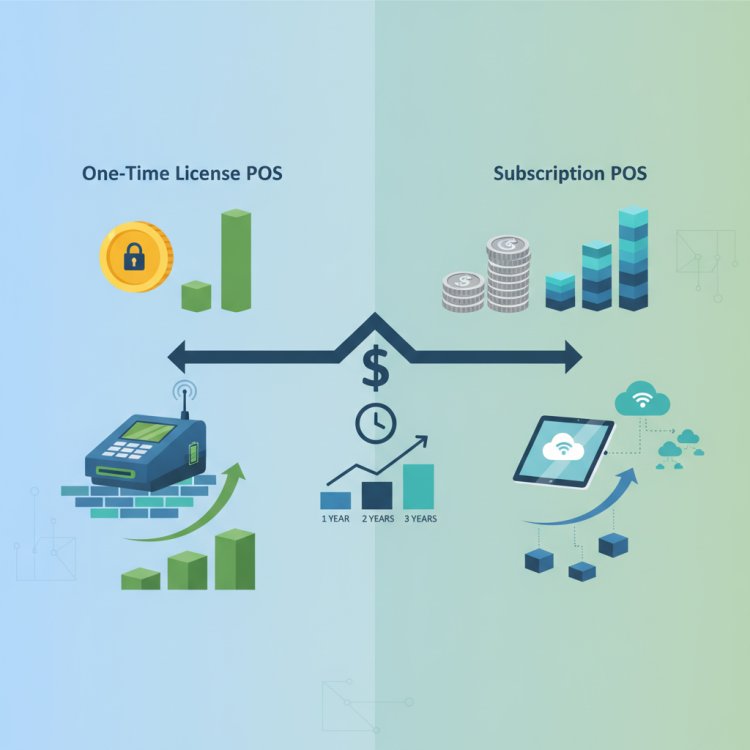
Typical 3-Year Cost Reality: A PKR 40,000 one-time license rarely stays at PKR 40,000. Once you factor in technician troubleshooting visits, manual backup drive replacements, and paid version upgrades, the cost gap narrows significantly—while the difference in owner convenience and data security widens.
- One-Time License Setup: PKR 40,000 upfront software fee + estimated PKR 15,000 in technician service visits across 3 years + PKR 10,000 for local external backup drives and eventual Windows reinstallation setup = Approx. PKR 65,000 to PKR 75,000 total out-of-pocket (plus the silent cost of zero mobile visibility and manual inventory reconciliation).
- Cloud Subscription Setup: PKR 2,000 to PKR 3,000 monthly subscription (PKR 72,000 to PKR 108,000 across 3 years) = Zero additional backup costs, zero server maintenance fees, automated updates included, and real-time smartphone reporting included from day one.
When viewed strictly as a ledger entry, a static desktop license can appear marginally cheaper after year two. However, that minor cash saving comes at the expense of manual labor, heightened disaster risk, and operational inflexibility.
Feature-by-Feature Comparison for Pakistani Retailers
Beyond licensing fees, your POS software dictates how efficiently your staff operates during peak rush hours and how accurately you control stock. Here is how both architectures perform across everyday retail scenarios:
1. Handling Internet Dropouts and Power Fluctuations
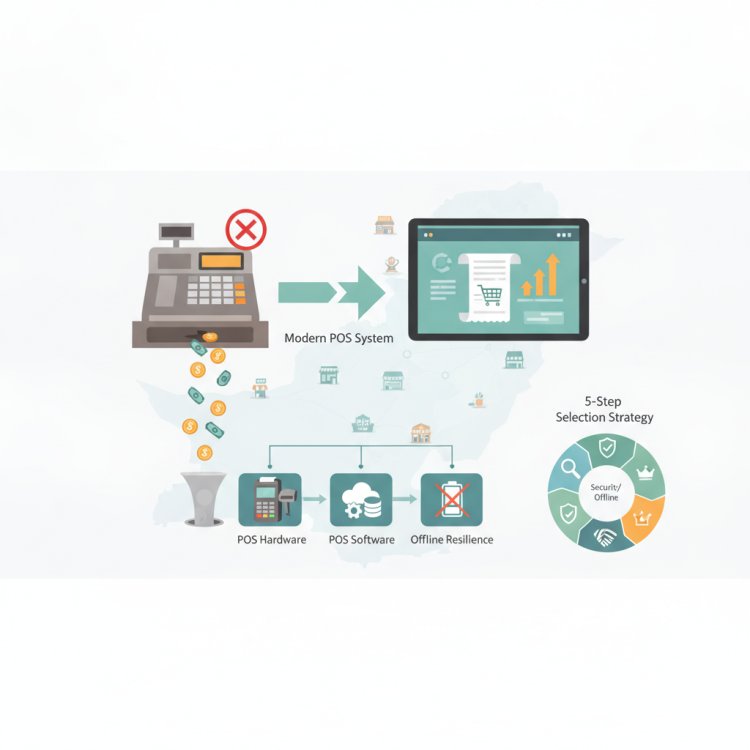
Power cuts and broadband interruptions remain a daily operational reality across commercial markets in Pakistan. A traditional one-time desktop system does not require internet, so it bills steadily as long as your UPS or solar backup powers the counter PC.
By contrast, poorly engineered web-based POS tools freeze the moment your internet connection drops. Modern hybrid cloud platforms solve this problem completely: they cache transaction data locally on the register so cashiers can scan barcodes, apply discounts, and print customer receipts offline. Once connectivity returns, the local terminal pushes all offline transactions up to the cloud server automatically.
2. Multi-Store and Warehouse Synchronization
If you plan to scale from your flagship store in Faisalabad to a branch in Islamabad, traditional one-time licenses hit a wall. Each shop functions as an isolated island. You have to call branch managers every evening, ask them to export Excel spreadsheets, and manually stitch the numbers together to find total inventory levels.
A cloud subscription allows you to manage multi-store transfers, centralized purchasing, unified supplier orders, and branch-specific performance reports within a single master login.
3. Staff Accountability and Audit Controls
Cash slippage and undocumented inventory shrinkage often occur when counter software lacks granular role permissions. Desktop systems commonly use shared master passwords where cashiers can edit sales, delete lines, or change selling prices without an immutable audit trail.
Cloud platforms provide tiered employee access control. Counter staff only have permission to scan items and take payment, while managers approve refunds, and owners view margins—with all shift handovers logged to the cloud in real time.
Saveable Checklist: Which POS Model Fits Your Business?
Use this practical checklist to evaluate which model matches your operational priorities and business roadmap:
-
Choose a One-Time Desktop License If:
- You operate a single, self-managed kiosk or neighborhood shop with no plans to expand.
- You personally sit at the counter all day and do not need remote smartphone monitoring.
- Your location has no reliable cellular or broadband internet connectivity whatsoever.
- You have technical knowledge to perform daily physical database backups onto external flash drives.
-
Choose a Cloud Subscription POS If:
- You manage more than one counter, a warehouse, or plan to open additional branch locations.
- You want to monitor daily profits, cash mismatches, and inventory levels from your phone while away from the shop.
- You need automated data protection against hardware crashes, theft, or local disk corruption.
- You sell across multiple channels, including an in-store counter and an online store or social commerce channel.
- You want predictable software costs that include ongoing engineering support and software enhancements.
How CloudPOS Helps Pakistani Businesses Strike the Right Balance
Pakistani retailers should not have to choose between the counter speed of an offline register and the convenience of a modern cloud platform. CloudPOS is built specifically to address the daily realities of Pakistani retail, pharmacy, garment, grocery, and service businesses.
Here is how CloudPOS delivers the best of both worlds:
- Hybrid Online and Offline Architecture: You never have to worry about unstable internet. CloudPOS allows counter billing, barcode scanning, discounts, and receipt printing to continue seamlessly offline. The moment your internet reconnects, all pending transaction data syncs to the central cloud automatically.
- Complete Multi-Store Management: Oversee multiple counters, outlets, and regional warehouses from one unified master account. Transfer stock between branches and check centralized inventory balances without making dozens of phone calls.
- Real-Time Inventory and Smart Alerts: Receive automated low-stock notifications before fast-moving SKUs run out, minimizing lost sales and dead capital.
- Dedicated Mobile Applications: Step away from the counter with total peace of mind. CloudPOS mobile apps allow business owners to track hourly sales, gross margins, and register closing totals directly from their smartphone.
- Granular Employee Management: Assign distinct access controls for cashiers, inventory clerks, and store managers. Track staff-wise sales figures and prevent unauthorized invoice cancellations or register discrepancies.
- Enterprise-Grade Security Architecture: Your data is protected by a live server, a replica server, and automated offsite backups with end-to-end encryption and two-factor authentication—eliminating the catastrophic risk of a dead counter hard drive.
- AI-Powered ERP and Integrations: Scale effortlessly into integrated financials, procurement, customer relationship management (CRM), courier booking, and eCommerce channels as your sales grow. CloudPOS also provides full FBR compliance and digital invoicing support for tax-registered businesses.
Conclusion
The upfront price on a software quote tells only half the story. While a cheap one-time desktop license may look appealing on paper, it often binds your business to a single physical desk, exposes your hard-earned sales records to local hardware failure, and complicates future branch growth. On the other hand, a modern cloud subscription turns retail software into an agile growth engine that protects your data, keeps cashiers accountable, and gives you total operational control from anywhere.
Ready to upgrade your store with a fast, offline-capable cloud system built for Pakistan? Book a free CloudPOS demo today or speak directly with our retail specialists to see how unified inventory, mobile reporting, and automated sync can transform your daily operations.
===CONTENT===