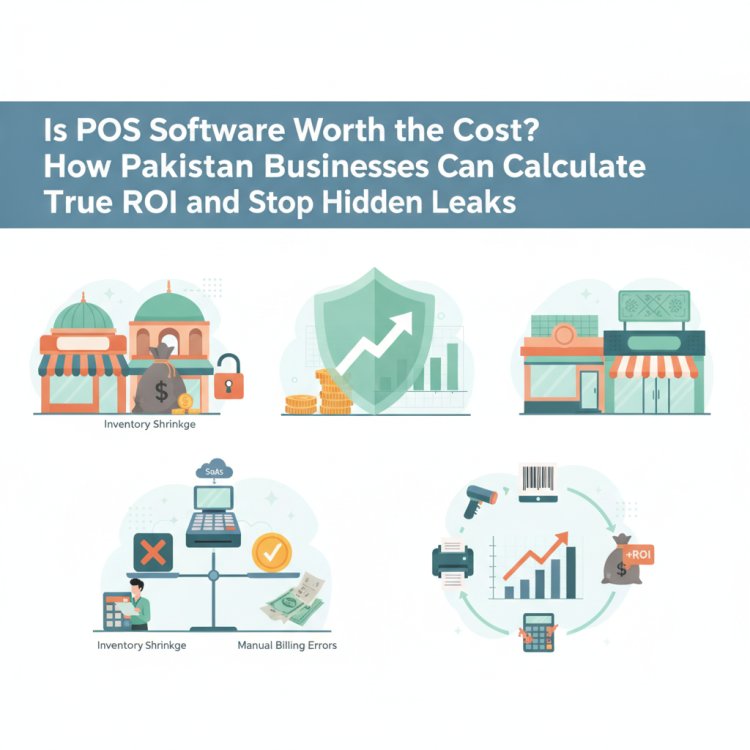
The Hidden Costs of POS Software in Pakistan: How to Budget and Maximize ROI
Hesitant about investing in a POS system? Learn how to evaluate cost versus value, identify hidden software and hardware fees, calculate your true ROI, and budget smartly for your retail or wholesale business.

In this article
- The Invisible Bill: What Manual Operations and Stock Loss Actually Cost You
- The Trap of "Cheap" Systems: 5 Hidden Costs to Watch Out For
- 1. Proprietary Hardware Lock-In
- 2. Module Paywalls and Feature Upcharges
- 3. Paid Updates and Re-Installation Fees
- 4. Multi-Branch Penalties
- 5. Costly Downtime and Connectivity Halts
- Subscription vs. One-Time License: Evaluating Total Cost of Ownership
- How to Calculate Your POS Return on Investment (ROI)
- The POS Budgeting Checklist for Pakistani Business Owners
- How CloudPOS Helps You Protect Margins and Maximize Value
- Final Verdict: Investing in Growth Over Expense
When you run a retail shop, pharmacy, wholesale depot, or restaurant in Pakistan, every rupee of operational spending faces intense scrutiny. With commercial electricity tariffs fluctuating, import costs shifting, and margins tightening across consumer goods, it is completely natural to treat any new business expense with skepticism.
For many business owners, point-of-sale software feels like an avoidable administrative overhead. You might look at your existing setup—a paper ledger, a basic digital calculator, or a standalone cash drawer—and wonder: "Why pay for software every month when my shop already manages fine without it?"
The hesitation is understandable. However, looking at POS software solely as a line-item expense overlooks a far more critical reality: you are already paying for a system, even if you have never bought one. You pay for it every time an unrecorded item leaves the shelf, every time a cashier mistypes a discount, and every time dead stock ties up your working capital. To make an informed decision, you must compare the visible price tag of technology against the invisible price tag of manual operations.
The Invisible Bill: What Manual Operations and Stock Loss Actually Cost You
Retail businesses rarely fail because of a single catastrophic event. Instead, they bleed capital through small, daily operational leaks that go unnoticed because no digital record captures them.
According to research from global retail organizations such as the National Retail Federation, retail shrinkage—the difference between the inventory recorded and physical stock available, driven by theft, administrative mistakes, and vendor fraud—consistently accounts for around 1.5% to 1.6% of total retail turnover. In cash-heavy, manual retail environments across Pakistan where physical stock audits happen only once or twice a year, that number is frequently much higher.
Consider the math for an average Pakistani retail store with a modest monthly turnover of PKR 1,500,000:
- Unmonitored Stock Shrinkage: A conservative 2% loss due to misplaced items, unrecorded staff borrowing, vendor short-deliveries, or undetected pilferage costs you PKR 30,000 per month.
- Manual Calculation & Cashier Errors: Miscalculated change, unapplied discount limits, and manual price entry errors averaging just PKR 400 per day add up to PKR 12,000 per month.
- Dead Stock & Over-Purchasing: Without sales trends and inventory velocity data, capital gets locked into slow-moving stock that eventually expires or must be cleared below cost. Tying up just PKR 100,000 in redundant stock incurs a monthly cost of capital and storage worth thousands.
- Checkout Inefficiency: Long billing queues during peak evening hours cause impatient shoppers to abandon baskets, quietly siphoning away high-margin walk-in sales.
When you tally these routine frictions, running a "free" manual register can easily cost a mid-sized retailer between PKR 40,000 and PKR 60,000 every single month in pure waste. Viewed through this lens, the conversation shifts from "Can I afford software?" to "Can I afford to keep leaking cash?"
The Trap of "Cheap" Systems: 5 Hidden Costs to Watch Out For
Once business owners decide to evaluate software, many fall into another financial pitfall: choosing the lowest advertised sticker price without investigating total cost of ownership. Vendors frequently quote low baseline fees while burying essential operating necessities in fine print.
Before committing to any system, check for these five common hidden costs:
1. Proprietary Hardware Lock-In
Some vendors offer heavily discounted software on the condition that you buy their specific, branded desktop touchscreens or barcode printers at inflated prices. If a machine malfunctions or you decide to switch vendors later, the hardware becomes useless electronic waste. Transparent platforms run seamlessly on standard commercial computers, tablets, or even smartphones you already own.
2. Module Paywalls and Feature Upcharges
You may be quoted a low price for "core billing," only to discover that inventory tracking, multi-user logins, customer history, or downloadable financial reports require expensive add-on modules. Always verify whether billing, inventory control, and reporting are unified or sold separately.
3. Paid Updates and Re-Installation Fees
Vendors selling outdated on-premise systems often charge mandatory "service fees" whenever your operating system updates, a hard drive fails, or database maintenance is required. If your shop computer crashes, getting their technician to re-install your database can turn into an expensive hostage situation.
4. Multi-Branch Penalties
If you plan to expand from one shop to a second branch, some software providers charge separate, full-priced software installations for each location, with no shared cloud backend. You end up paying double or triple for fragmented data that requires manual reconciliation at the end of each week.
5. Costly Downtime and Connectivity Halts
In Pakistan, intermittent internet outages and load-shedding are daily realities. A system that locks up the moment the internet disconnects brings counter operations to a dead standstill. That downtime translates directly into frustrated customers, abandoned carts, and lost revenue.
Subscription vs. One-Time License: Evaluating Total Cost of Ownership
Pakistani business owners often prefer paying once and "owning" their software outright. While the phrase "one-time payment, lifetime access" sounds reassuring, it is often a misnomer in modern business computing.
Here is how a 3-year Total Cost of Ownership (TCO) comparison breaks down:
- One-Time Offline Licenses: You pay a lump sum upfront. However, that software is frozen in time. When tax codes shift, hardware drivers update, or your business needs change, the vendor charges for "major version upgrades." Furthermore, routine backups remain your manual responsibility; if your hard drive suffers a power surge, your historical ledger disappears completely.
- Cloud Subscription Models: Rather than risking a large capital outlay, you pay a predictable operational fee. This payment covers regular feature enhancements, secure automated cloud backups, multi-device accessibility, and continuous technical support. Because the vendor's revenue depends on ongoing renewals, they are incentivized to keep the system fast, secure, and aligned with market needs.
A one-time license feels like buying an asset, but software behaves like an operating utility—it requires continuous maintenance, security patching, and data integrity safeguards to remain functional.
How to Calculate Your POS Return on Investment (ROI)
Calculating return on investment takes the guesswork out of software budgeting. You do not need complex financial modeling; simply calculate the monthly operational savings and margin improvements, subtract the software's cost, and divide by the cost.
Here is a practical, step-by-step example for a retail outlet:
- Step 1: Estimate Direct Losses Prevented. With barcode scanning, strict cashier permissions, and automated inventory sync, you cut shrinkage and pricing errors by even 50%. On a PKR 1,500,000 monthly turnover, saving 1% of revenue preserves PKR 15,000 per month.
- Step 2: Calculate Working Capital Saved. Real-time inventory alerts prevent you from overstocking slow goods, freeing up at least PKR 50,000 in trapped capital over a quarter to reinvest in fast-selling, high-margin products.
- Step 3: Factor Time Savings. Automated end-of-day sales reconciliations and inventory audits save store managers roughly 15 to 20 hours per month—time redirected toward customer service, supplier negotiations, and marketing.
- Step 4: Run the Formula. If your operational savings and margin gains equal PKR 25,000 per month and your software platform costs PKR 3,500 per month, your net monthly gain is PKR 21,500. Your system pays for itself several times over within the first 30 days.
The POS Budgeting Checklist for Pakistani Business Owners
Before signing an agreement or paying an advance to any provider, walk through this checklist to ensure your budget stays realistic and protected against surprise charges:
- [ ] Hardware Flexibility: Can the software run on your existing PC, laptop, tablet, or smartphone, or does it mandate proprietary machines?
- [ ] Offline Reliability: Does billing continue seamlessly during internet disruptions, and does data sync automatically once connectivity returns?
- [ ] Comprehensive Core Modules: Are inventory tracking, barcode scanning, customer management, and multi-user access included in the base package?
- [ ] Scalability: Does the platform allow you to manage multiple counters and future branch locations from a single central account?
- [ ] Staff Accountability: Does the system offer role-based access control so cashiers cannot delete sales, alter past receipts, or view wholesale purchase margins?
- [ ] Data Protection: Are offsite cloud backups automated, or are you responsible for manually copying database files to a flash drive every evening?
- [ ] Compliance Readiness: Does the system support local tax structures, digital invoicing, and FBR-integrated billing if required for your category?
How CloudPOS Helps You Protect Margins and Maximize Value
Evaluating cost versus return is not about finding the cheapest software—it is about finding the platform that delivers the highest measurable return on your investment. That is precisely why CloudPOS was built around practical operational realities in Pakistan.
CloudPOS helps retailers, service businesses, and wholesale operators maximize their technology value through dedicated operational features:
- Device Agnostic Setup: CloudPOS runs on desktop, tablet, and mobile devices. You do not need to discard your working computers or invest in expensive proprietary terminals to get started.
- Uninterrupted Offline Billing: Internet downtime will never halt your checkout line. Billing continues offline without a hitch, and your sales data syncs automatically to the cloud the moment your connection recovers.
- Smart Inventory Control: Real-time stock tracking with automated low-stock alerts prevents costly stockouts on bestsellers while stopping you from tying up cash in slow-moving inventory.
- Employee Access Control: Safeguard your daily cash drawer with granular staff permissions, track employee sales performance, and manage attendance without worrying about unauthorized receipt edits or cash mismatches.
- Centralized Multi-Store Management: Manage one branch today and ten branches tomorrow from a single account, comparing sales performance, tracking stock transfers, and monitoring margins remotely via mobile apps.
- Integrated AI-Powered ERP: From finance and procurement to customer relationship management and eCommerce integration, CloudPOS connects your entire operational cycle inside one cohesive platform.
Final Verdict: Investing in Growth Over Expense
Worrying about technology costs is the mark of a prudent business owner. But true financial discipline means recognizing the difference between an unrecoverable expense and an operational tool that defends your profit margins.
When you replace manual errors, unmonitored shrinkage, and checkout delays with automated stock tracking, secure cashier accountability, and clear daily analytics, POS software quickly ceases to be an expense. It becomes one of the highest-yielding investments your business can make.
Ready to see how modern, reliable software can safeguard your margins and streamline your operations? Take the first step today and book a free CloudPOS demo to explore the platform firsthand with zero commitment.