Cloud POS vs Traditional & Manual Systems in Pakistan: Which Works Best for Your Business?
A clear, practical comparison of cloud POS, traditional desktop POS, manual registers/Excel, and online-only vs hybrid systems—tailored for Pakistani business owners weighing their options. Includes a checklist to help you assess which setup suits your shop, restaurant, pharmacy or salon best.
In this article
Choosing the right point-of-sale (POS) system can feel overwhelming—especially when you’re balancing reliability, cost, compliance, and growth. In Pakistan’s unique business environment, the decision between cloud POS, traditional desktop POS, manual registers or Excel, and hybrid systems matters more than ever. Here’s a fair, practical comparison to help you decide.
1. Cloud POS vs Traditional Desktop POS
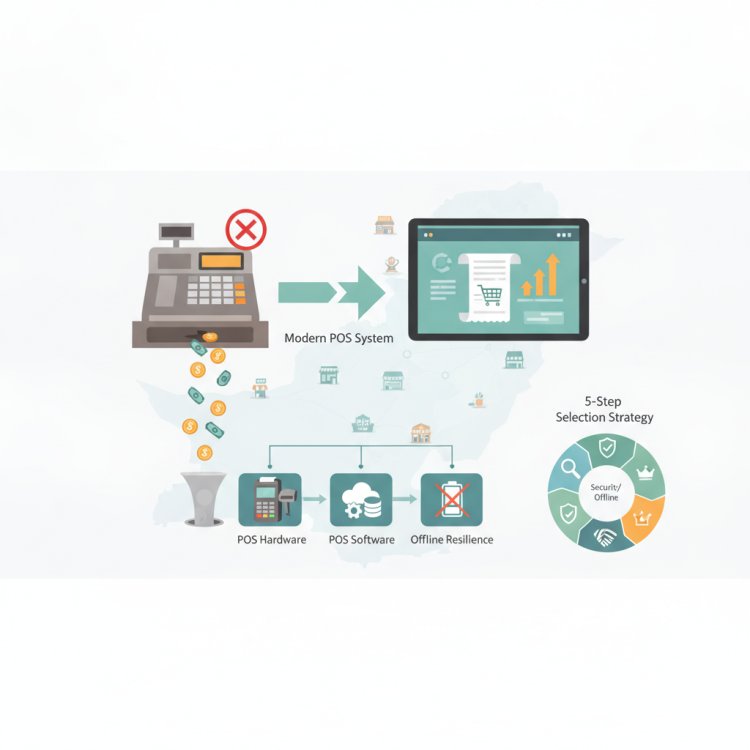
Cloud POS stores data on remote servers and offers real-time access, automatic updates, and centralized management—ideal for multi-branch businesses or owners who need to monitor operations remotely. It also handles backups and security for you ([itvision.com.pk](https://www.itvision.com.pk/best-pos-software-pakistan-2026/?utm_source=openai)).
Traditional Desktop POS runs locally on your computer and works fully offline, with one-time license costs and local data control—making it reliable during internet outages and potentially cheaper over long periods ([itvision.com.pk](https://www.itvision.com.pk/cloud-restaurant-pos-vs-desktop-pakistan/?utm_source=openai)).
Key Differences at a Glance
- Internet Dependency: Cloud needs a stable connection; desktop works regardless ([itvision.com.pk](https://www.itvision.com.pk/cloud-restaurant-pos-vs-desktop-pakistan/?utm_source=openai)).
- Cost Structure: Cloud is subscription-based; desktop is usually a one-time purchase ([itvision.com.pk](https://www.itvision.com.pk/cloud-restaurant-pos-vs-desktop-pakistan/?utm_source=openai)).
- Updates & Backups: Cloud updates and backs up automatically; desktop requires manual effort ([itvision.com.pk](https://www.itvision.com.pk/pos-software-pakistan-3/?utm_source=openai)).
- Multi-Branch Support: Cloud excels at syncing across locations; desktop often needs manual consolidation ([itvision.com.pk](https://www.itvision.com.pk/cloud-restaurant-pos-vs-desktop-pakistan/?utm_source=openai)).
2. Manual Registers or Excel vs POS Systems
Many small businesses in Pakistan still rely on handwritten khata or Excel sheets. While familiar and cost-free, these methods struggle when your business grows, when FBR compliance becomes mandatory, or when you need reliable inventory and customer tracking ([ekhata.ai](https://ekhata.ai/en-pk/compare/excel-manual-khata?utm_source=openai)).
Manual systems are prone to errors, lack real-time visibility, and make audits or tax reporting difficult. A POS system—whether cloud or desktop—automates invoicing, inventory, and compliance, saving time and reducing risk.
3. Online-Only vs Hybrid (Online + Offline) POS
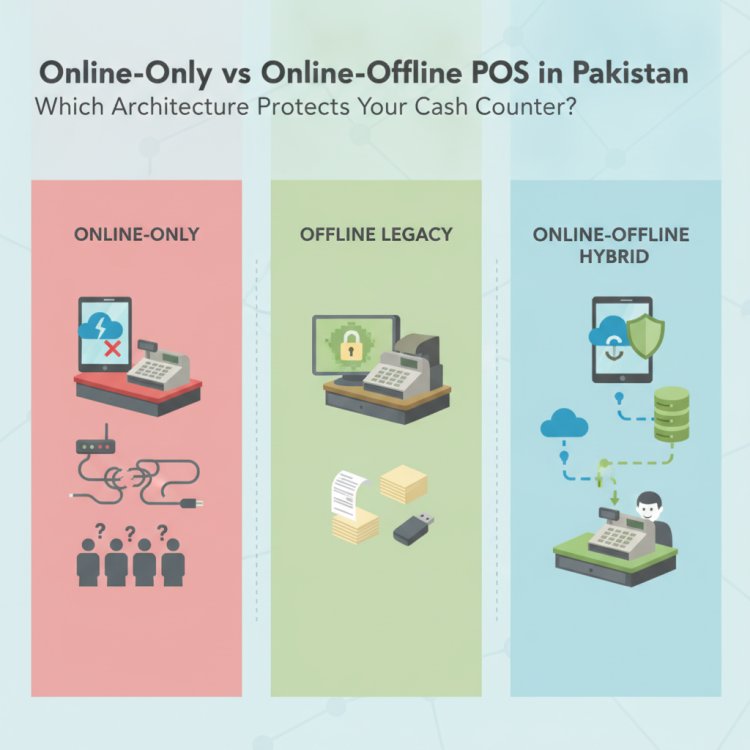
Online-only POS stops working when the internet fails—risky in Pakistan, where load-shedding and patchy connectivity are common ([apex-technology-sepia.vercel.app](https://apex-technology-sepia.vercel.app/blog/offline-vs-cloud-pos-pakistan?utm_source=openai)).
Hybrid POS offers the best of both worlds: it works offline during outages and syncs automatically when the connection returns. This ensures uninterrupted billing, valid FBR receipts, and consistent inventory tracking ([pospakistan.com](https://www.pospakistan.com/resources/offline-pos-mode?utm_source=openai)).
4. Who Should Choose Which Option?
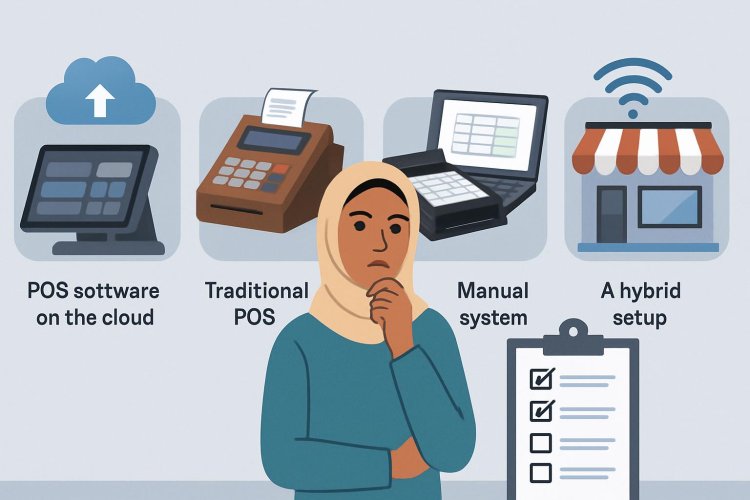
- Cloud POS – Best for multi-branch retailers, growing restaurants, or owners who need remote access and centralized control.
- Traditional Desktop POS – Good for single-location shops in areas with unreliable internet or owners preferring one-time investment and local control.
- Manual Registers / Excel – Only suitable for very small, low-volume businesses; not sustainable as you scale or face compliance needs.
- Hybrid POS – Ideal for most Pakistani businesses: keeps operations running during outages while offering cloud benefits when online.
5. Quick Checklist: What to Evaluate When Choosing a POS
- Will billing stop if the internet goes down?
- Do you need to manage multiple branches or locations?
- How important is remote access to sales and reports?
- Can you handle backups and updates manually?
- Do you want predictable upfront costs or flexible monthly payments?
- Does the system support FBR-compliant invoicing and QR receipts?
How CloudPOS Helps
CloudPOS combines the strengths of cloud and hybrid systems, built specifically for Pakistan’s business realities. It works online and offline—billing continues during internet outages, with valid FBR QR invoices printed locally and synced automatically when reconnected ([pospakistan.com](https://www.pospakistan.com/resources/offline-pos-mode?utm_source=openai)). You get real-time inventory, multi-store management, and remote access from any device, with automatic backups, updates, and FBR compliance built in. Plus, you get modules for customer, employee, and AI-powered ERP management—all in one secure, scalable platform.
Conclusion
In Pakistan’s dynamic business environment, a hybrid cloud POS system offers unmatched reliability, compliance, and flexibility. Traditional desktop systems still make sense in specific scenarios, and manual methods only work at very small scales. But for most retailers, restaurants, pharmacies, and service businesses, a cloud-enabled POS with offline capability is the smart, future-ready choice.
Ready to see how this works in practice? Book a free CloudPOS demo and experience a system designed for Pakistani businesses—built for uptime, growth, and peace of mind.